Question Bank
Build a reusable bank organized by subject and topic, then create exams by random rules or manual selection.
Open it from: left navigation > Exam Management > Question Bank
The window has two tabs: Question Bank and Exam Papers.
Manage questions
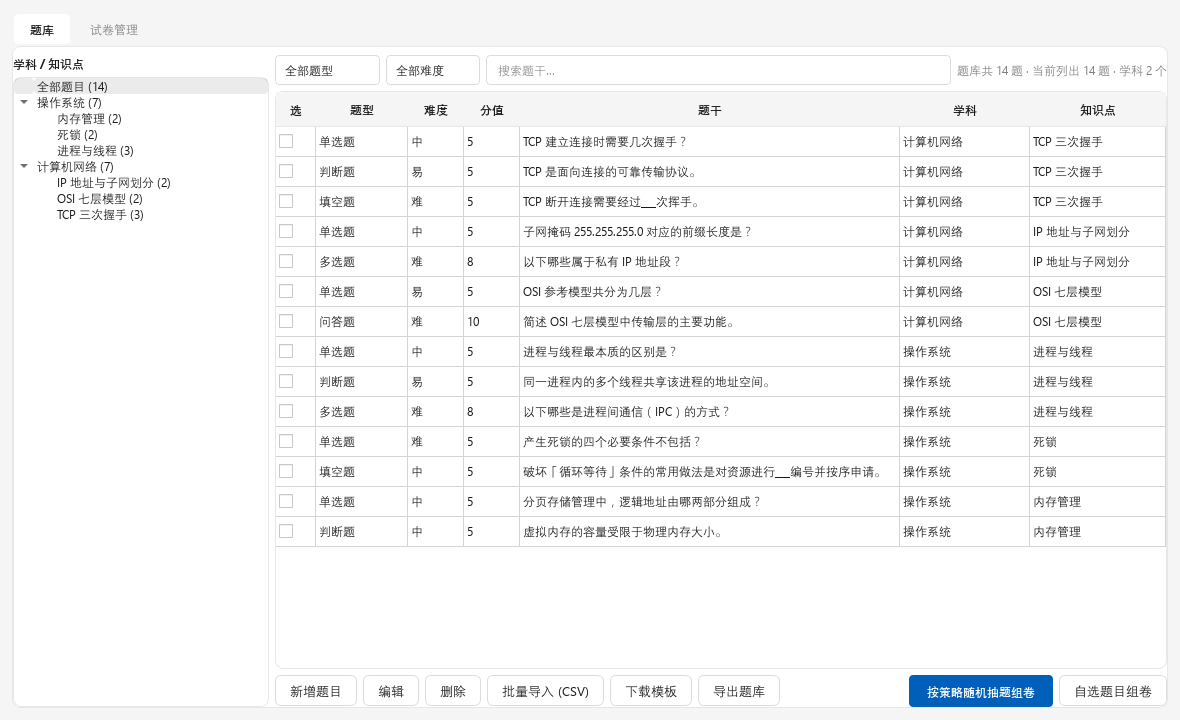
- Subject / Topic tree: browse by category.
- Filters: type, difficulty, and search.
- Question table: type, difficulty, points, question, subject, and topic.
| Button | What it does |
|---|---|
| Add Question | Creates a question |
| Edit / Delete | Changes or removes a question |
| Batch Import (CSV) | Imports many questions |
| Download Template | Saves a CSV template |
| Export Bank | Exports the bank as JSON |
| Build by Random Rules | Creates an exam from rules |
| Build from Selected | Creates an exam from checked questions |
Students cannot see the subject, topic, or difficulty.
Import from CSV
QUESTION, Type, Question, Options (separated by |), Answer, Points, Notes| Type | Options | Answer | Example |
|---|---|---|---|
| Single | All options | Correct option | QUESTION,单选,1+1=?,1|2|3,2,10 |
| Multiple | All options | Answers separated by | | QUESTION,多选,Fruits?,Apple|Banana|Carrot,Apple|Banana,20 |
| True/False | 正确|错误 | 正确 or 错误 | QUESTION,判断,Earth is round,正确|错误,正确,10 |
| Blank | 无 | Answer | QUESTION,填空,The capital of France is ___,无,Paris,10 |
| Essay | 无 | Reference answer | QUESTION,简答,What is AI?,无,...,30 |
Use the type names shown in the downloaded template. During import, C-Class asks for one subject, topic, and difficulty for the batch.
Answers must match options exactly
Even an extra space can cause a choice question to score 0. Review the warnings shown during import.
Build an exam
Random rules
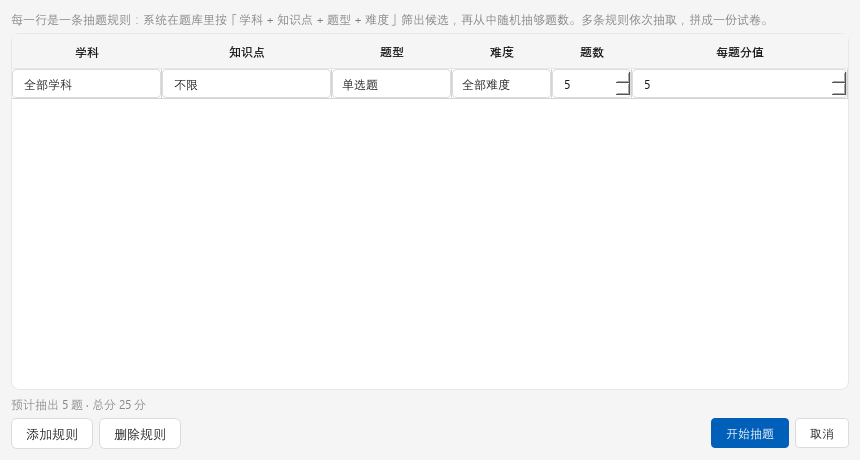
Each row sets subject, topic, type, difficulty, count, and points. Add as many rules as you need. C-Class shows the expected question count and total, and tells you if a rule does not have enough questions.
Manual selection
Check questions in the table and select Build from Selected.
Finished exams appear in Exam Papers.
Exam properties
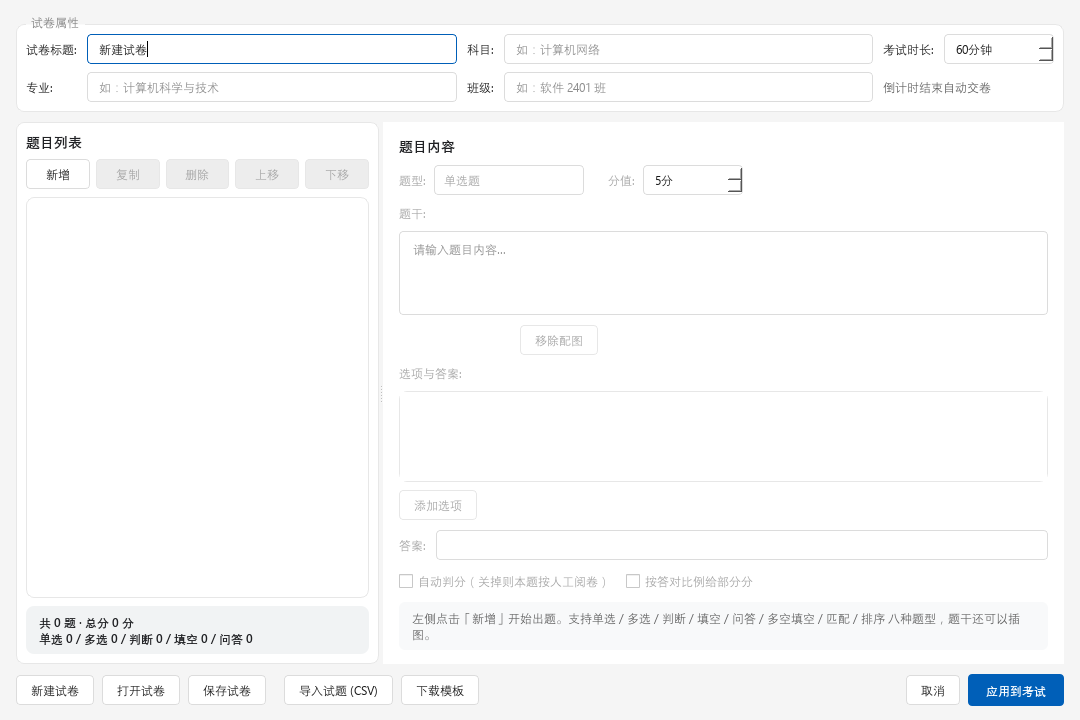
| Property | Default | Description |
|---|---|---|
| Passing score | None | Shows pass or fail |
| Allow early submission | On | When off, students wait until time runs out |
| Show score on submission | On | Displays the score |
| Allow review | On | Shows answers and correct answers |
| Auto-submit at end | On | Turns in the exam when time ends |
From bank to students
Question Bank > Build Exam > Exam Papers > Apply to Exam > Start Exam or Mandatory Exam