How to Redistribute a Single System
Method 1: Redistribute from the terminal's boot menu
If you want to redistribute a single system, you can press the Ctrl+D shortcut directly on the boot menu.
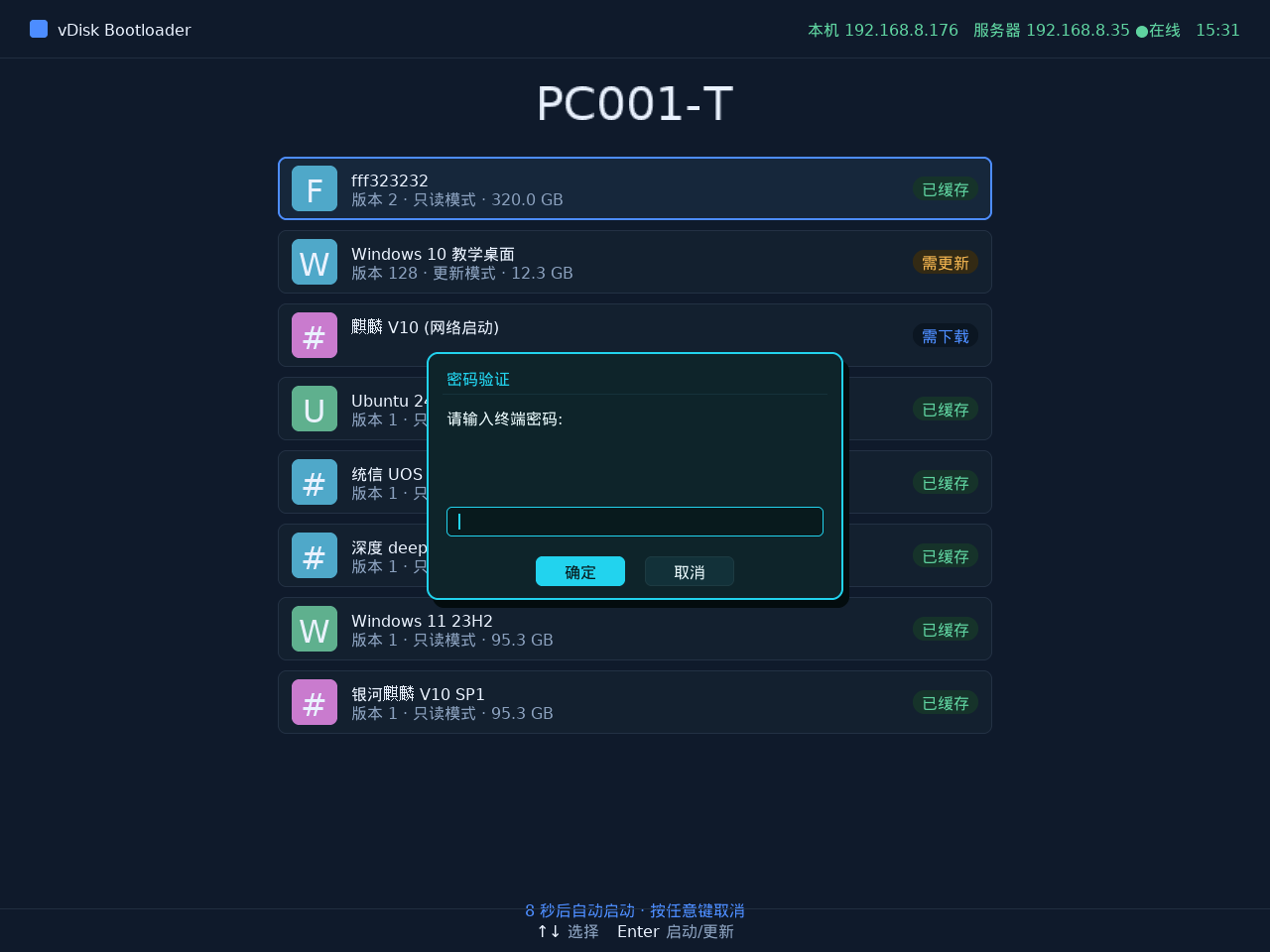
The terminal password may be required. The terminal password is found under Console -> Desktop -> Terminal Password.
You can also view it in Mini Program -> Terminal Password.
After the Ctrl+D operation, if a network boot environment is available, network boot starts directly; if not, the system is cleared and the computer restarts, enters another system, and from within that system you redistribute the cleared system.
Method 2: Redistribute from the console
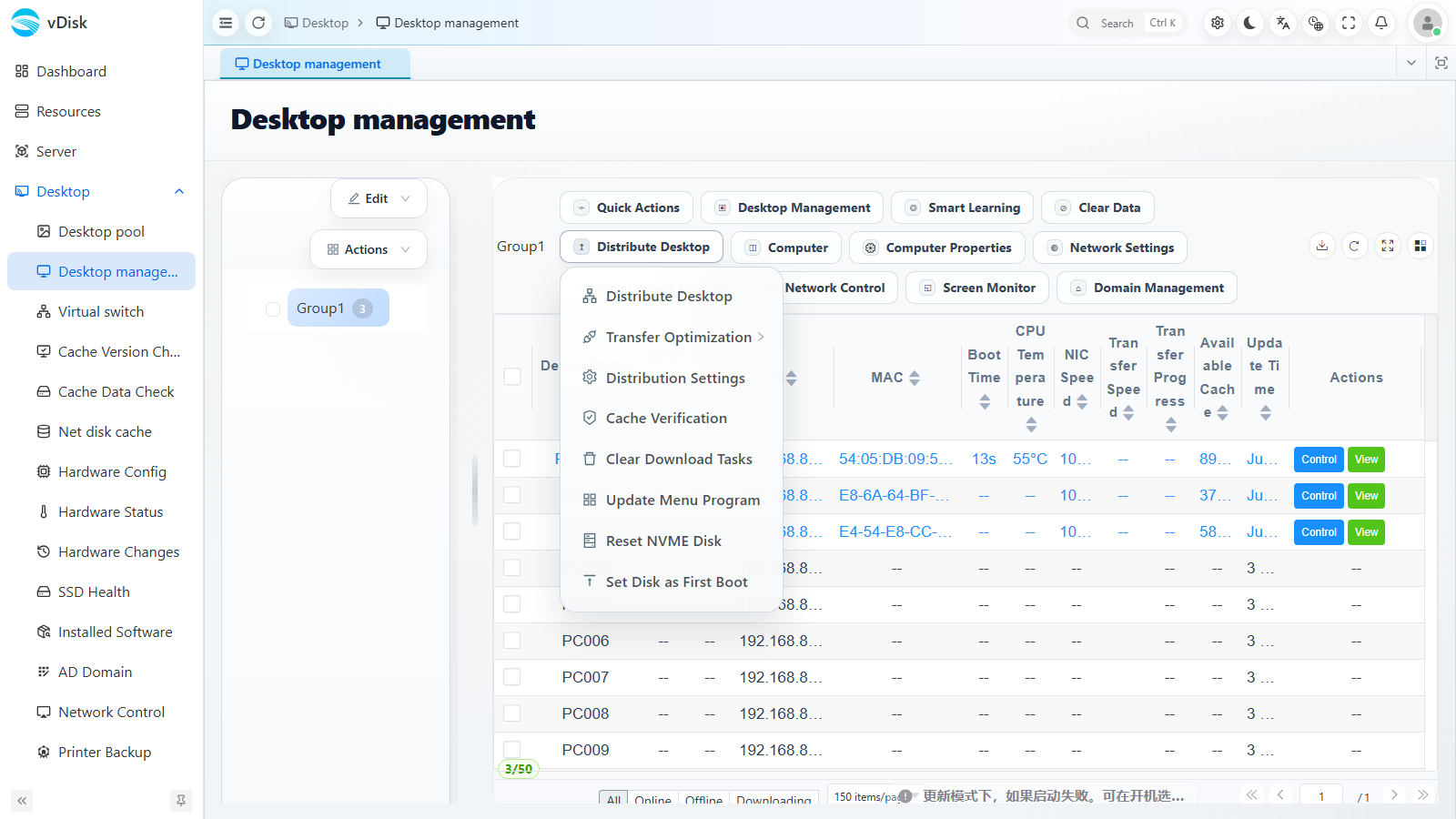
You can also go to Desktop -> Desktop management, select the target terminal, and click the Distribute Desktop dropdown menu in the toolbar.
In the Distribute Desktop drawer that pops up, check the desktops you want to redistribute, then confirm to redistribute the system to that terminal.
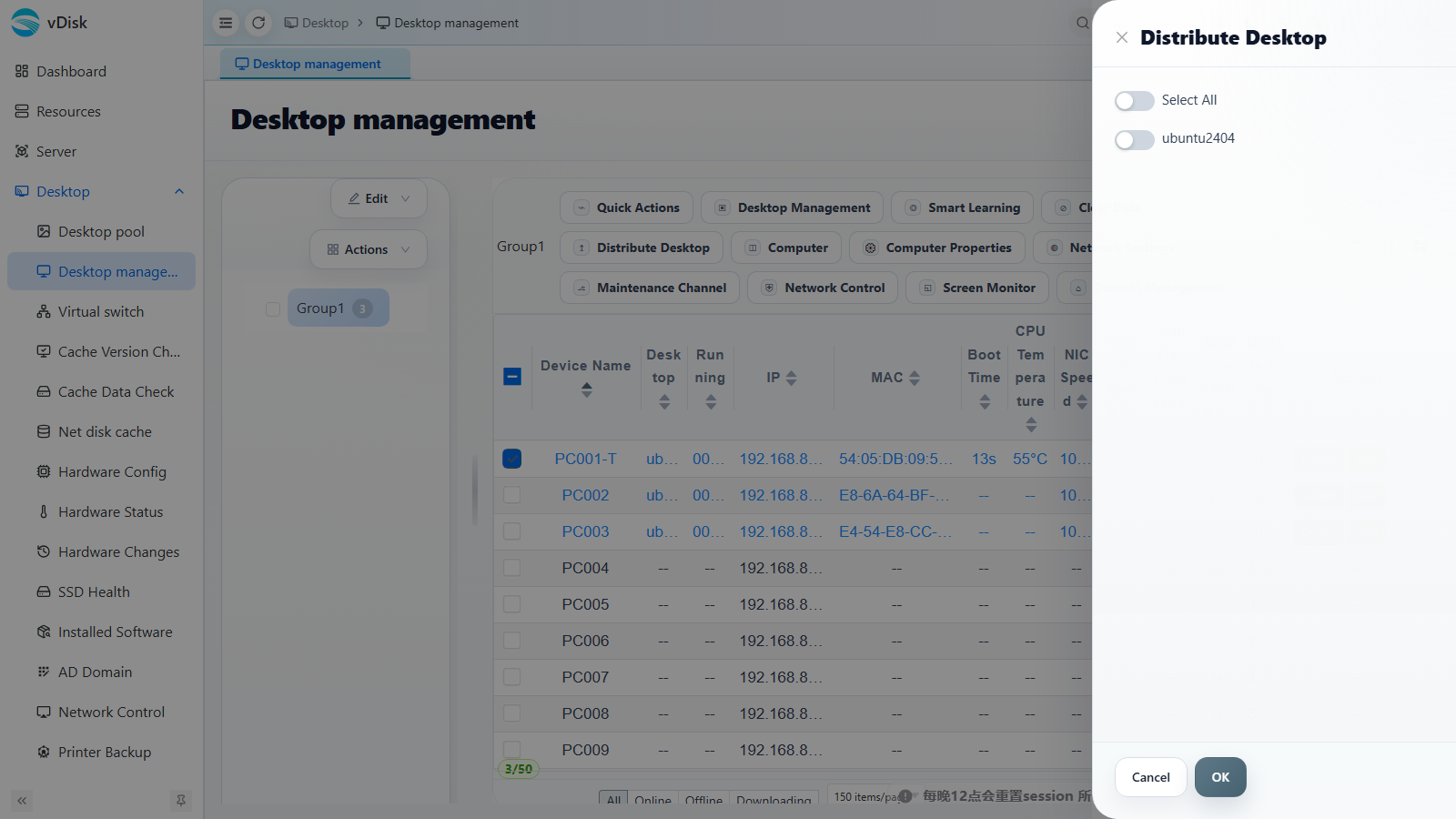
Console distribution is suitable for batch and remote redistribution, with no need to operate at the terminal in person.