Network Data Disk Usage and Use Cases
In the vDisk cloud desktop environment, in addition to the system disk (typically the C drive), disks from network servers can also be mounted (commonly as drive letters D, E, etc.). These disks primarily solve the problem of insufficient local disk cache. For example, if the local disk is only 256 GB or 512 GB, placing a few virtual machines can fill it up. In such cases, network data disks can be used for expansion.
Usage Planning (Based on a Local 256 GB SSD Cache Capacity Example)
| Item | Description |
|---|---|
| C: System Disk — 150 GB | Install popular, frequently used software, exam software, etc. |
| D: Resource Disk (Network Disk) — 50 GB Dynamic Cache | Network virtual disk with 2 TB capacity. Store various libraries, virtual machines, and uncommon software here. Allocate 50 GB of dynamic cache for local acceleration. When running a virtual machine, only the virtual machine data is loaded. The VM is cached locally; the next request requires no fetch from the server. |
| E: User Storage Disk — 10 GB | Can be used together with the personal net disk, or you can directly create a 10 GB temporary data disk for storing user data. |
Total local capacity used: 150 + 50 + 10 = 210 GB. Effective capacity achieved: 150 + 10 + 2000 = 2160 GB.
1. Important Notes
| Item | Description |
|---|---|
| Low hit rate | If the data disk's dynamic cache capacity is set too small, once exceeded, reclamation is triggered; after the cache is reclaimed, the hit rate drops sharply. |
| Hit rate empty after updating data disk | After an update, the local dynamic cache is reset. |
| Does the network data disk need to be distributed? | No distribution needed — it is created directly over the network and works in a read-as-you-cache mode. |
| Can it be reclaimed if it is not working correctly? | Console -> Desktop management -> Clear Data -> Clear Data Disk Cache. Requires the terminal to be online; after the operation, it can also fix data disk data abnormalities. |
| Reset trigger rule | When the data disk works in Restore Mode, only the data disk capacity is counted; when it exceeds the limit, cleanup is triggered. When working in Read-Write Mode, both write data and data disk cache are counted, triggering a cache reset earlier. |
2. How to Use
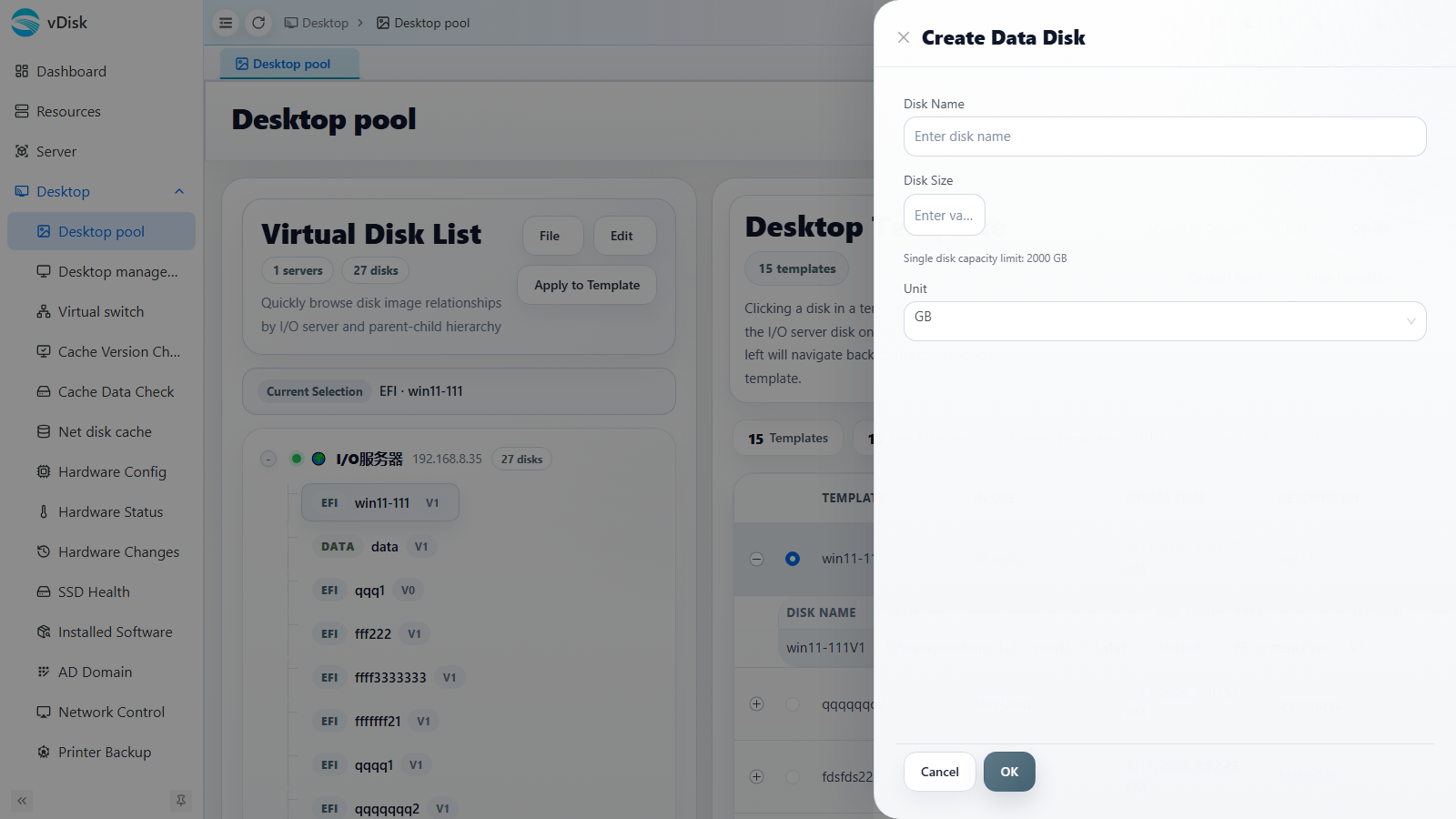
Console -> Desktop pool -> Virtual Disk List -> Create Data Disk
In the Virtual Disk List, select the target system disk node, click the File menu -> Create Data Disk, and fill in the Disk Name and Disk Size (in GB; the maximum per disk is 2000 GB).
Console -> Desktop pool -> Desktop Template -> Select the template that needs a data disk -> Configure Disk Mapping
In the desktop template's Disk Mapping, attach the data disk created in the previous step to the template and set the following options:
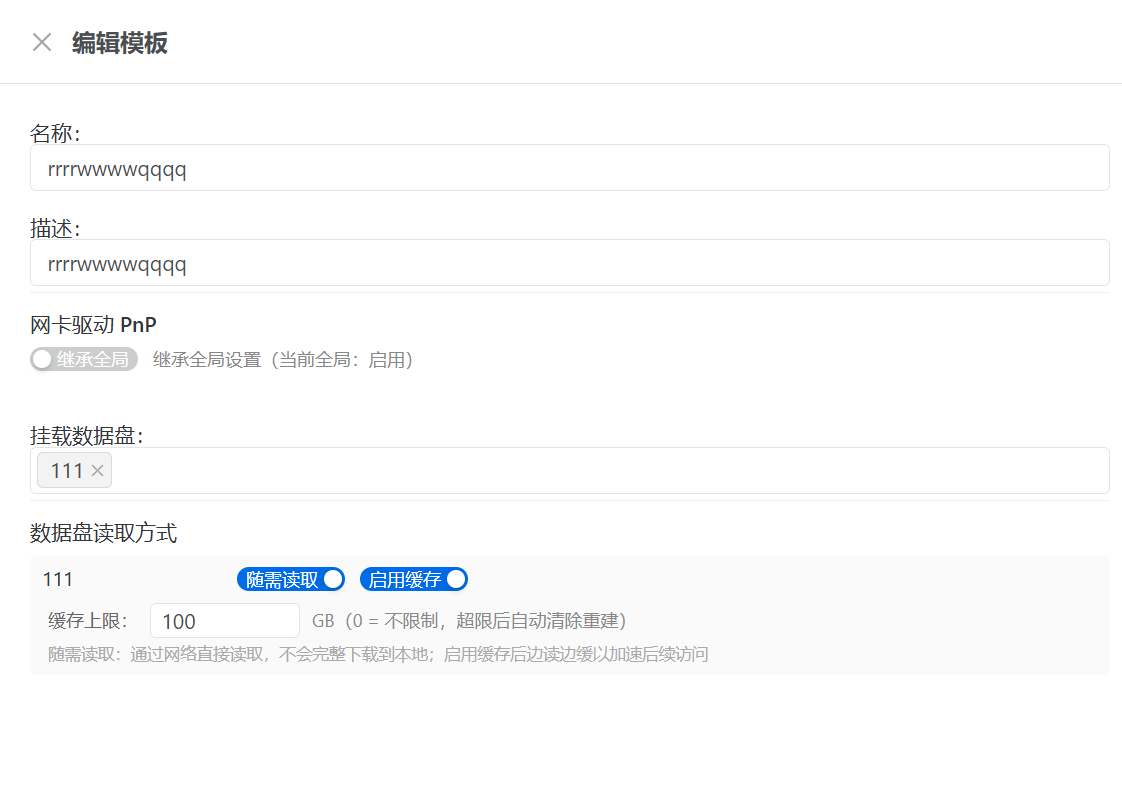
Network disk must be checked; otherwise it is a regular local data disk.
Enable cache is recommended; otherwise it runs as a pure network data disk, which places high demands on both the server and the network.
Cache limit: Set the maximum cache limit. Recommended: one-tenth of the virtual disk — e.g., set 100 GB for 1 TB.
Restart the client and the data disk will appear. You can then update and use data on the network data disk normally.
3. Checking the Net Disk Cache Operation
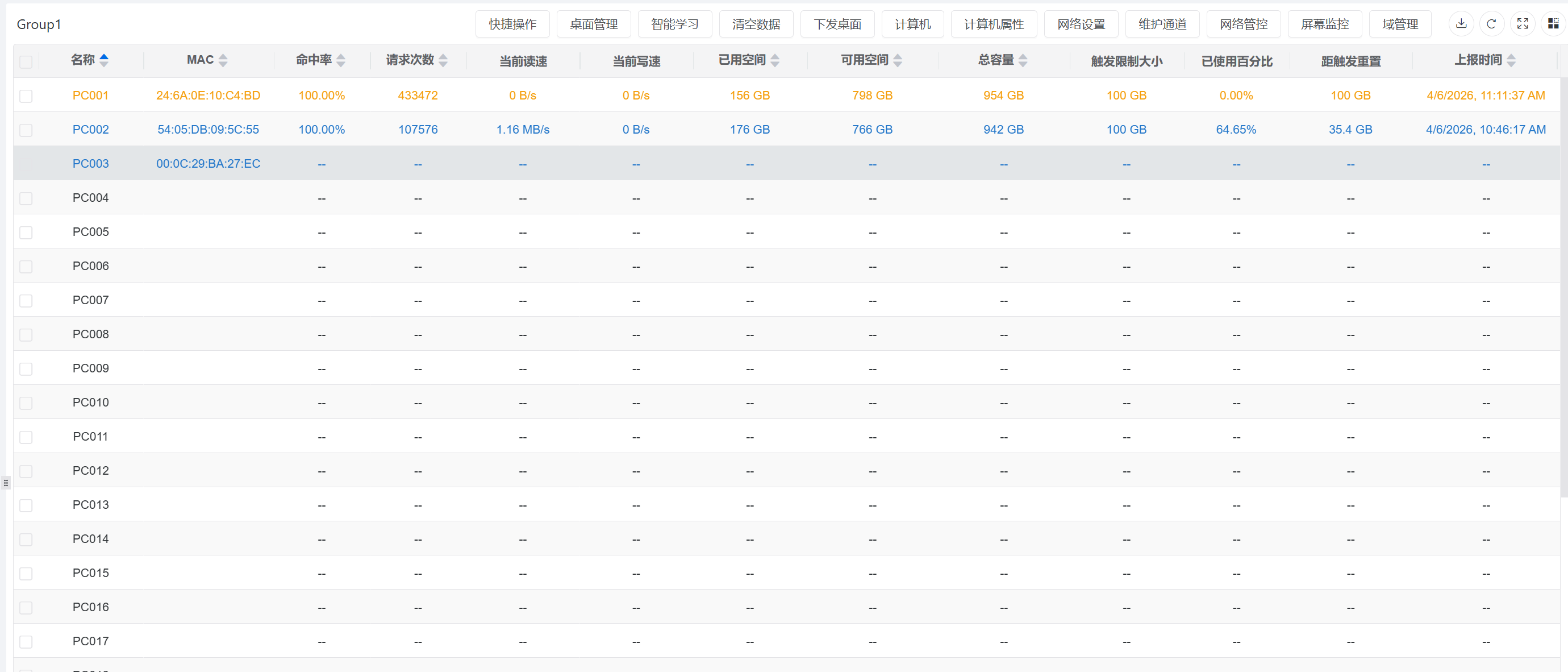
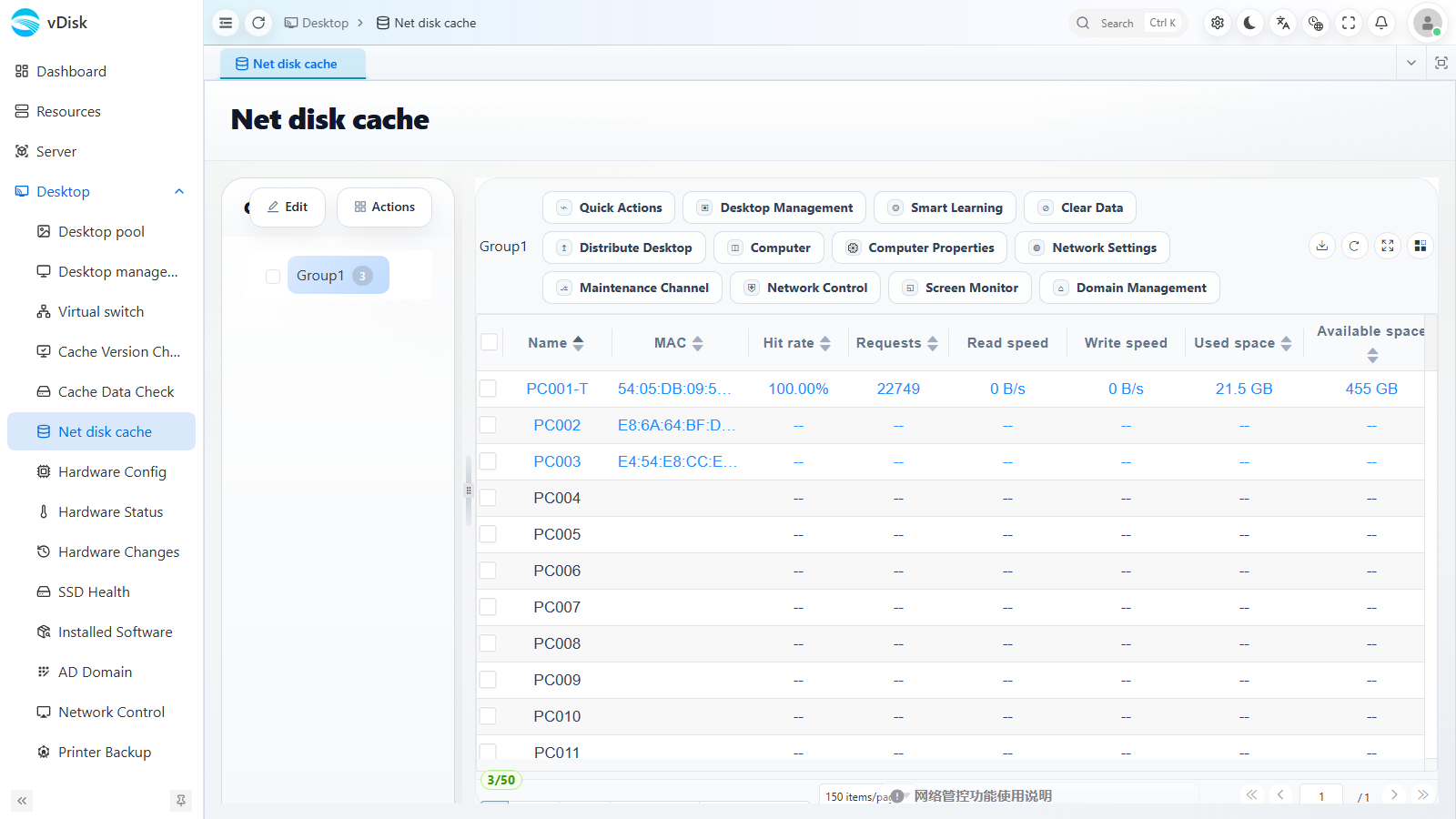
After the data disk is put into use, on the Console -> Desktop -> Net disk cache page you can monitor each terminal's net disk cache operation in real time and judge whether the dynamic cache is healthy.
| Metric | Description |
|---|---|
| Hit rate | The higher the hit rate, the more fully the data disk cache is utilized. If the hit rate is low, it is usually because the cache limit is set too small, causing frequent reclamation once exceeded; refer to the "set the cache limit to one-tenth of the virtual disk" suggestion and increase it appropriately. |
| Requests | The cumulative number of read/write requests, which can be used to assess the data disk's access frequency. |
| Read speed / Write speed | The current cache read/write throughput. |
| Used space / Available space | The local dynamic cache used and remaining. When the used space approaches the limit, cache reclamation may be triggered. |
You can locate a specific terminal by computer name (Name) / MAC address. After updating the data disk, the hit rate is reset (a low value for a short period is normal) and will gradually recover with use.