How to Hide a Specific System
Hiding has two entry points: the Desktop pool (batch hide per group, recommended) and Desktop management (hide per individual computer).
1. Hide from the Desktop pool (recommended)
Go to Console → Desktop → Desktop pool, select the template you want to hide in the right-hand "Desktop Template" list, then click Hide Template on the toolbar.
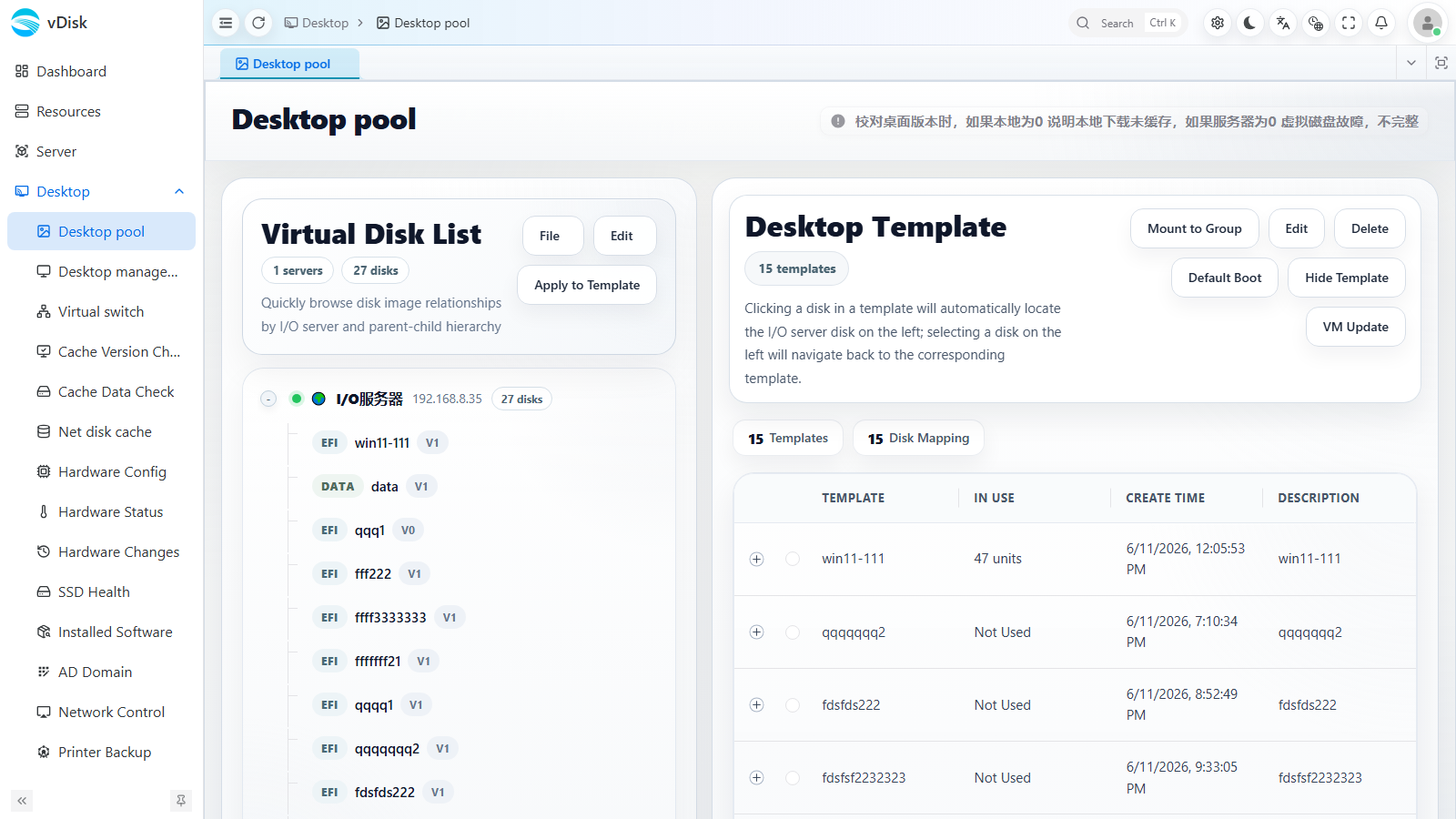
This performs a group-level operation, hiding the desktop on many computers at once.
2. Hide from Desktop management
Go to Console → Desktop → Desktop management, select the target computer, then click Desktop Management → Hide Template on the toolbar.
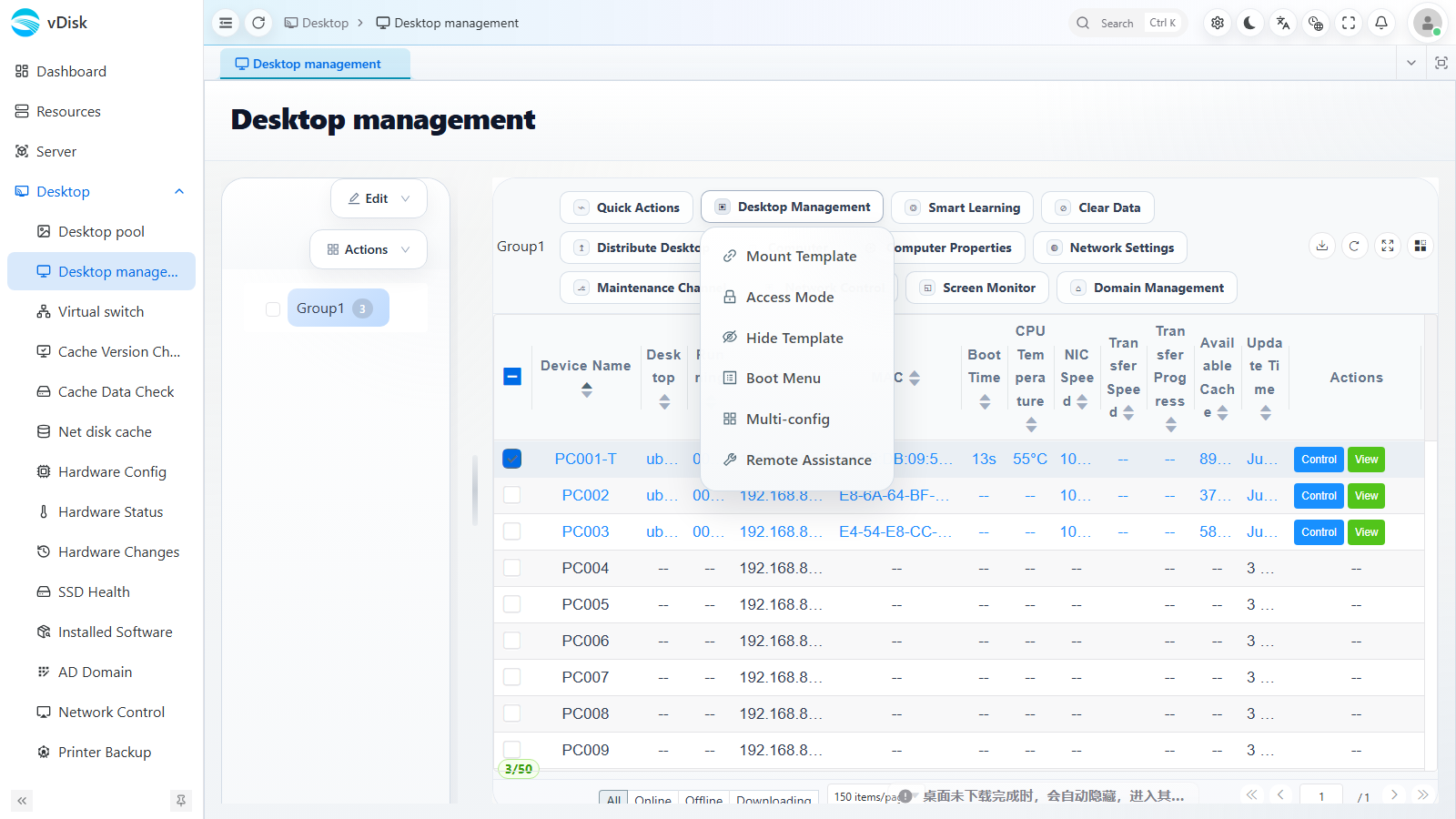
Hiding per computer is inconvenient at scale. Bulk management from the Desktop pool is recommended.