Personal Network Drive
The personal network drive lets users save data when a terminal runs in restore mode. It is not a web drive or FTP — it is a fully sector-level (disk-level) network disk: you can run programs, install software and save files directly on it, exactly like a local disk.
The personal drive is mounted only inside a deployed cloud-desktop intranet; data never leaves the LAN, so there is no data-audit risk. Not available in the Basic edition.
1. Feature comparison
| Item | Notes |
|---|---|
| vs. web drives (e.g. Baidu Cloud) | Web drives are file-level and suited to Internet transfer; the vDisk personal drive is sector-level, suited to the intranet — you can install software onto it and store assignments on it |
| vs. FTP / web drives | FTP/web drives require extra user steps and cannot open files in place; the personal drive is seamless — once mounted it is simply a disk |
| Multi-server performance | Supports multi-server load, putting the storage of several servers to use |
| Data security | Mounts only inside the cloud-desktop environment, protecting the data |
2. Enable the drive and create a template in the console
1) Console → Personal Net Disk → Net Disk Settings
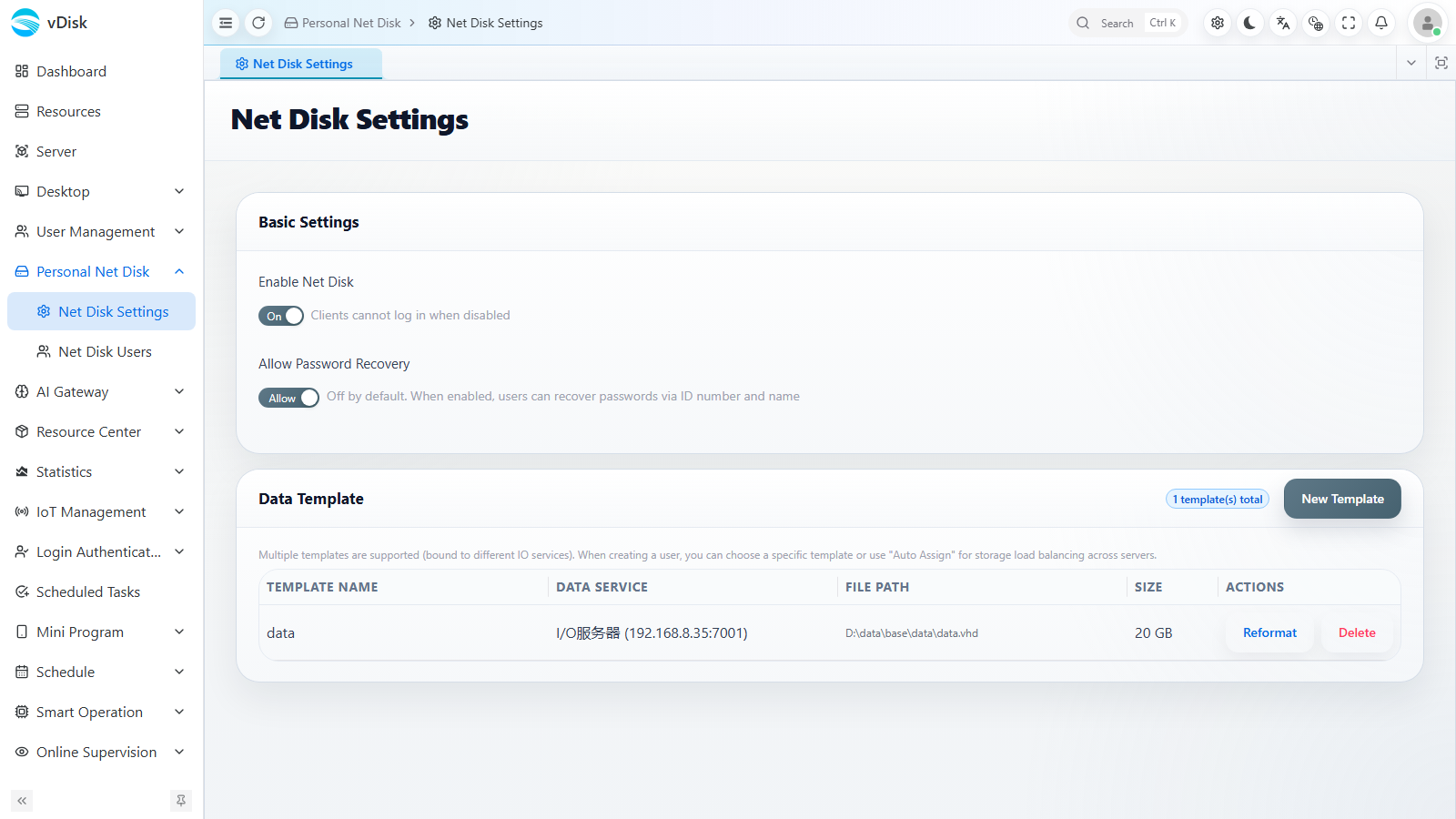
Basic Settings
- Enable Net Disk: must be on for the drive to work (turning it off disables every user's drive).
- Allow Password Recovery: when on, users can recover their drive password themselves from the client.
Data Template
- Templates preset the data that already exists the first time a user opens the drive.
- Each template has: Template Name, Data Service (the data server), File Path, Size.
- Creating templates on different servers achieves load balancing, distributing users across servers.
- Templates support New Template / Reformat / Delete.
Adding more servers
| Step | Action |
|---|---|
| 1 | Run the server installer on another server — no extra configuration needed |
| 2 | Back on the main console → Server → Server Info |
| 3 | Click Add; once it shows "Online" it is connected |
| 4 | Repeat for every data server |
2) Console → Personal Net Disk → Net Disk Users
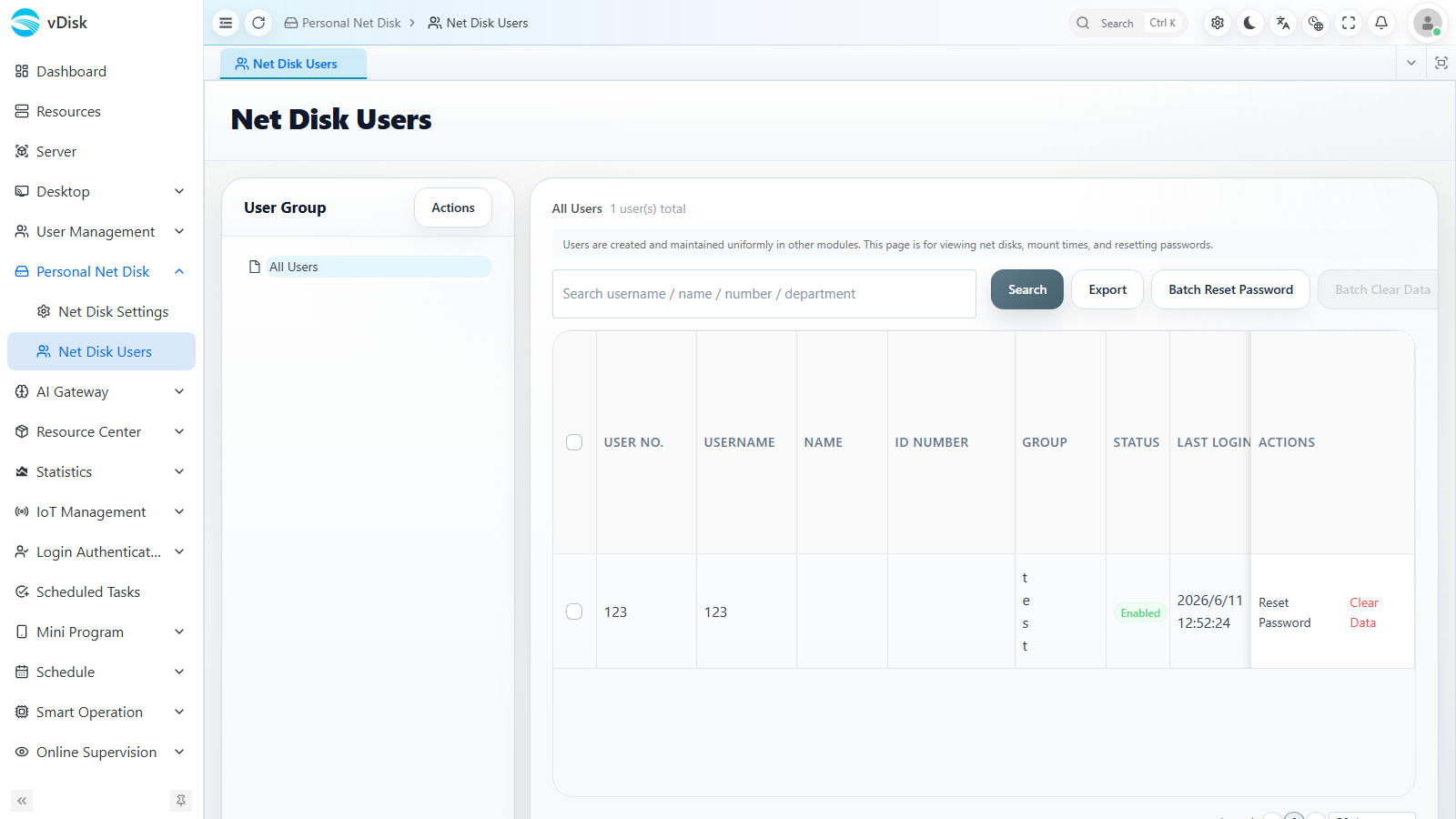
- Net-disk users must sit under a group, so create the group first, then the user.
- Columns include User No., Username, Name, ID Number, Department, Group, Status, Last Login, Net Disk, Mounted At, Disk Usage, etc.
- Users can be imported in bulk from Excel; choosing the auto template auto-assigns a data server.
- Management actions: Search, Export, Batch Reset Password, Batch Clear Data.
3. User login on the client
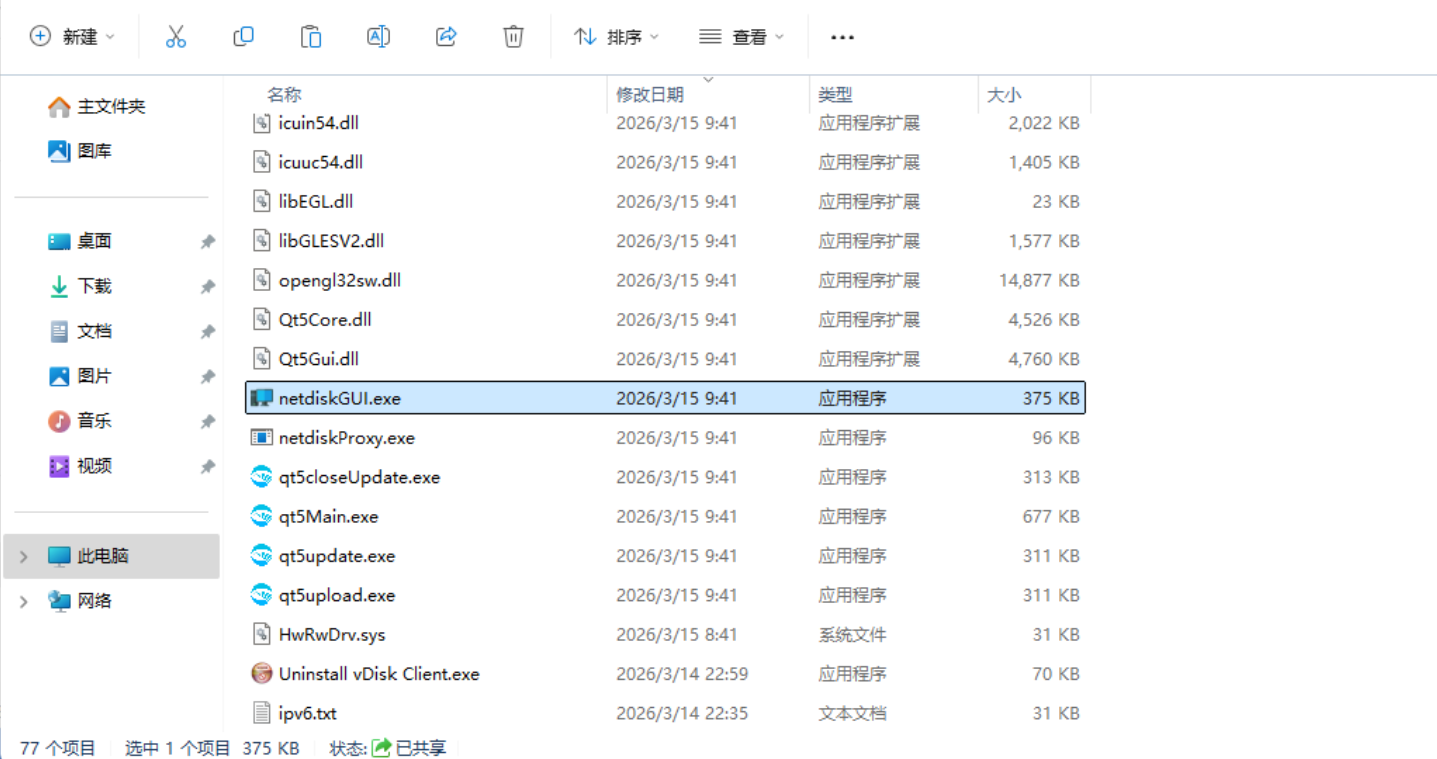
Find the netdiskgui program in the client install directory.
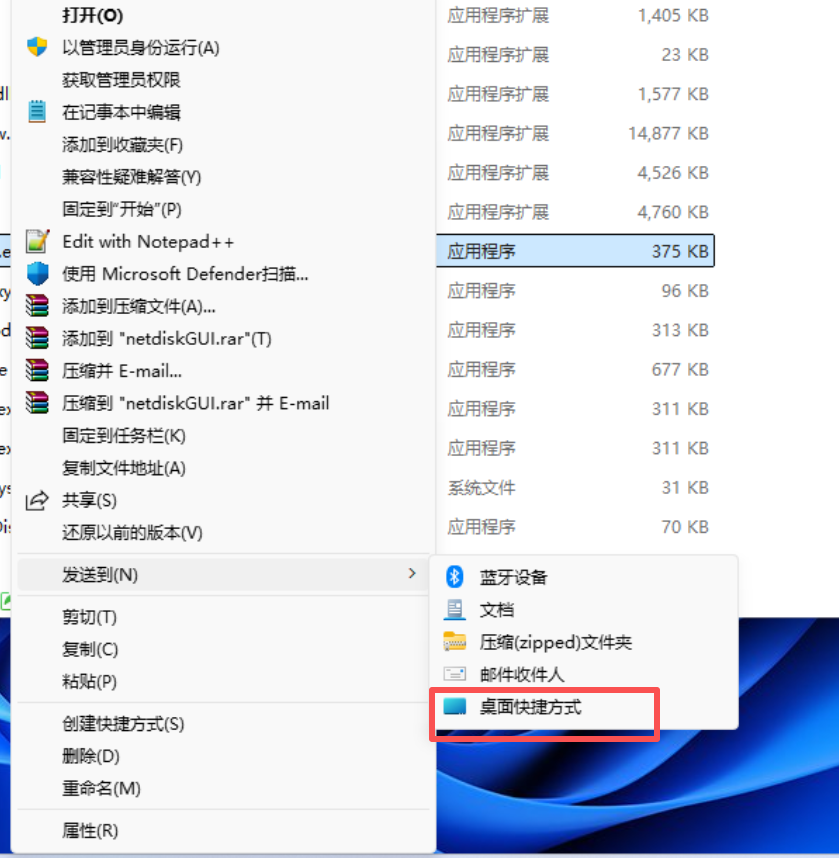
Send it to a desktop shortcut for easy access.
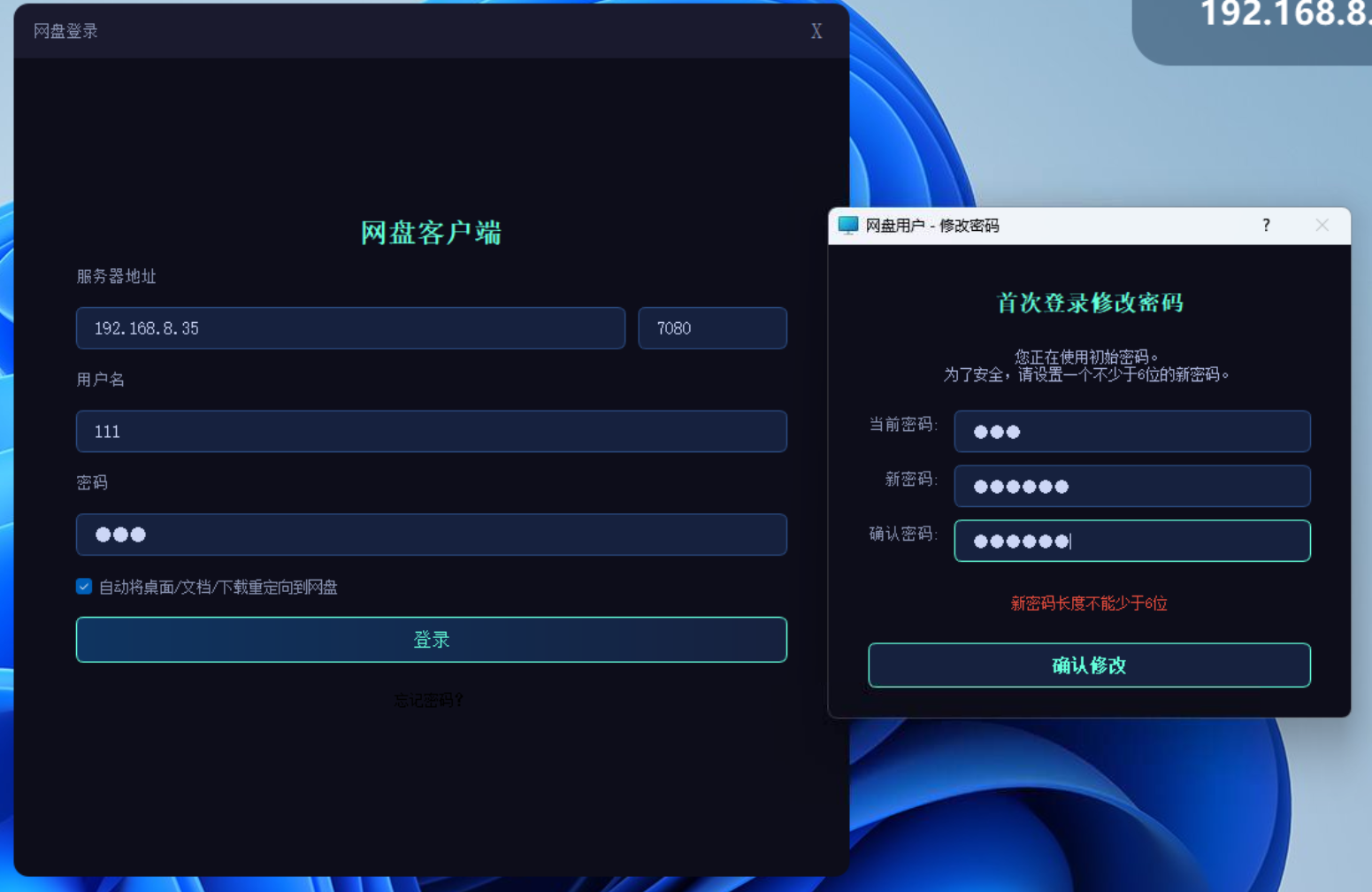
A password change is mandatory on first login.
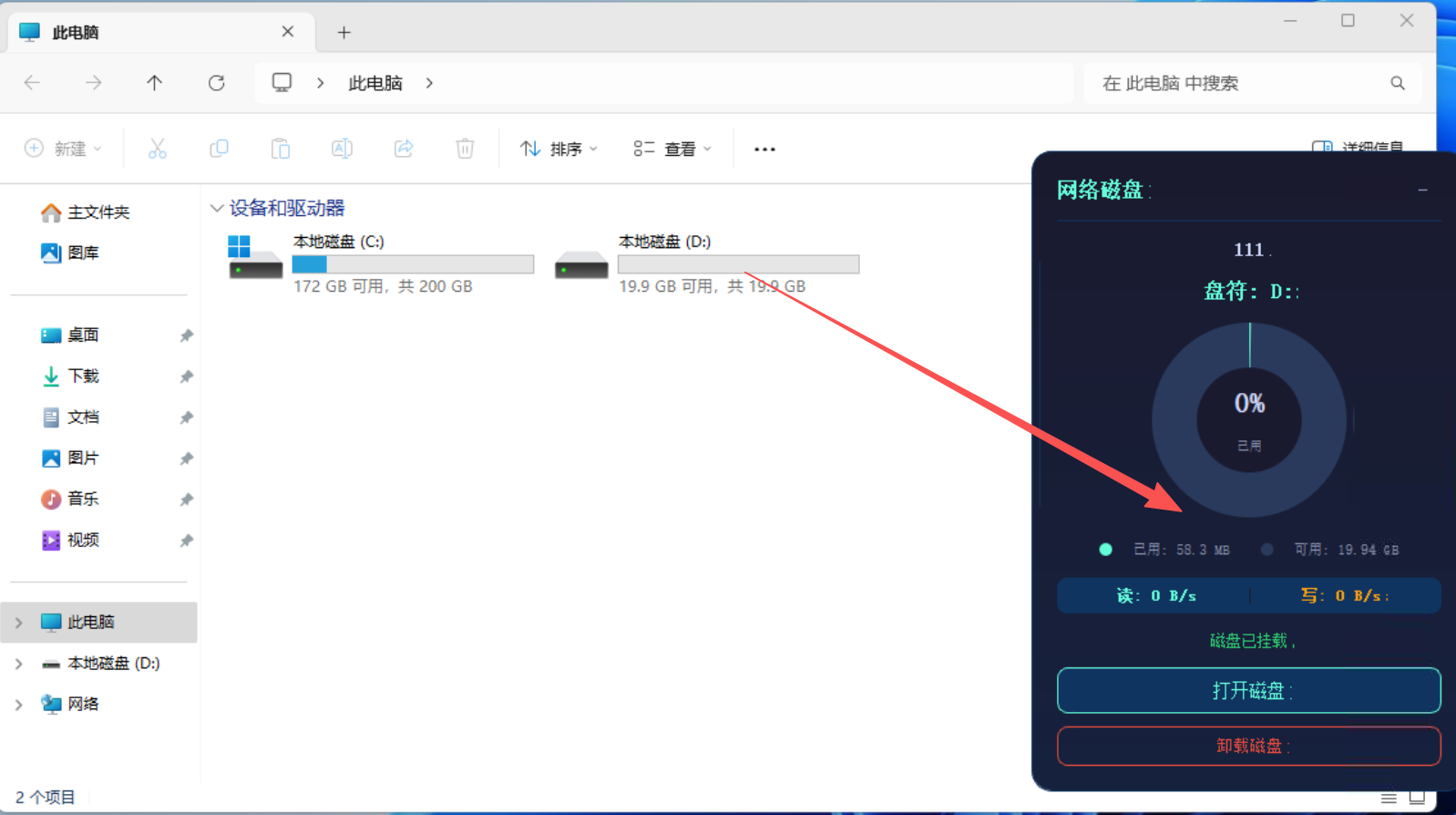
After logging in, the network disk is shown. It behaves like a local disk — you can run programs and save files directly on it.