How to Use Network Control to Restrict Network Access
With Network Control, you can set network access policies for a specified group or terminal to limit the network range a terminal can access.
1. Go to Desktop -> Desktop Management
In the left menu, go to Desktop, select a group or a specific terminal, and enter the Network Control list page. The list shows the current Access Policy of each terminal.
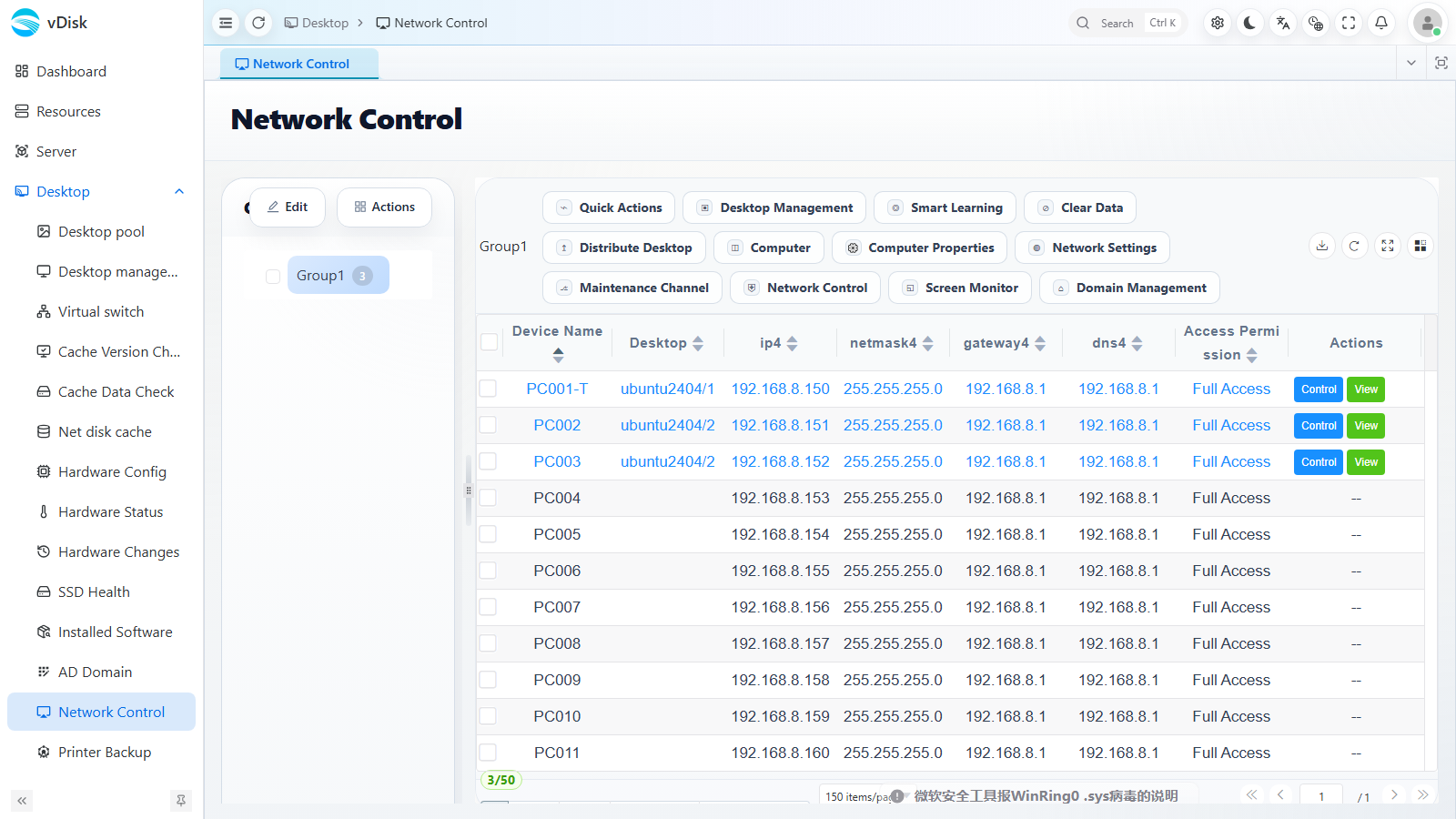
2. Click Network Control in the toolbar
After checking the target terminals, click the Desktop Management dropdown menu at the top and select Network Control.
Note: If you do not select a terminal first, the system prompts "Please select a computer".
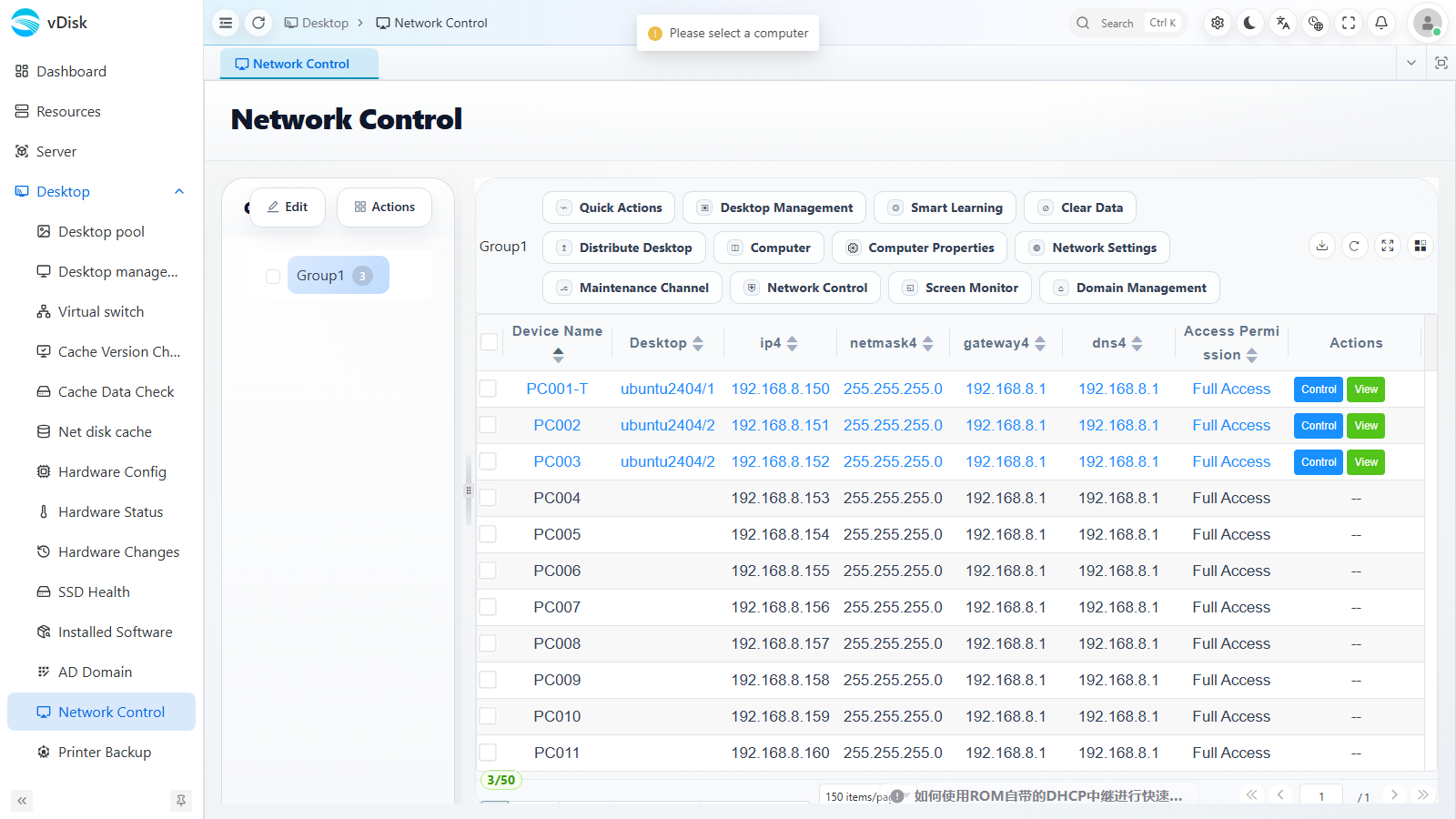
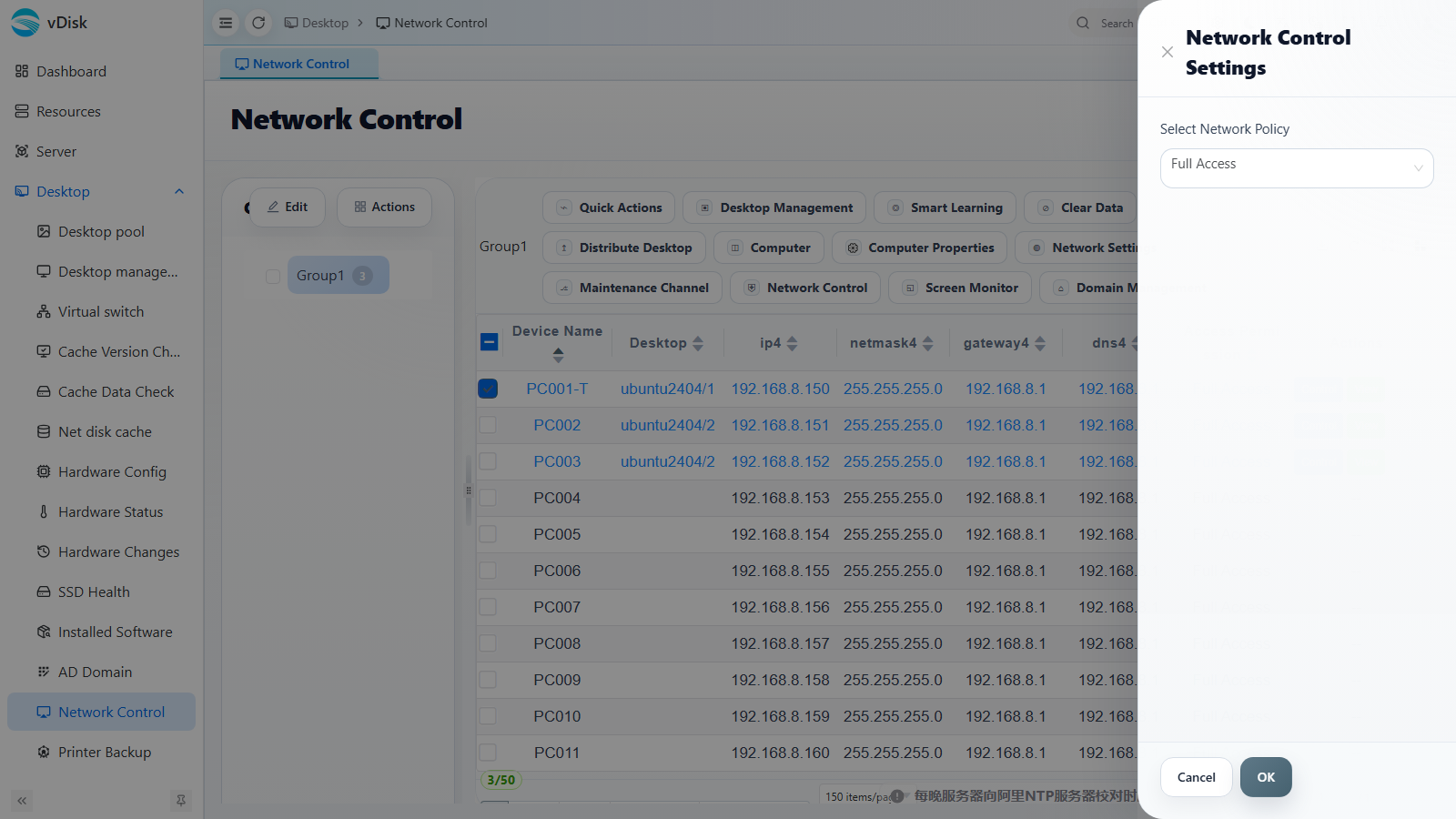
3. Open the Network Control Settings drawer
The "Network Control Settings" drawer pops up on the right side of the page. In the "Select Network Policy" dropdown, select the policy you need.
4. Select the network permission policy
The dropdown provides three network policies: Full Access, China Only, and Lan Only.
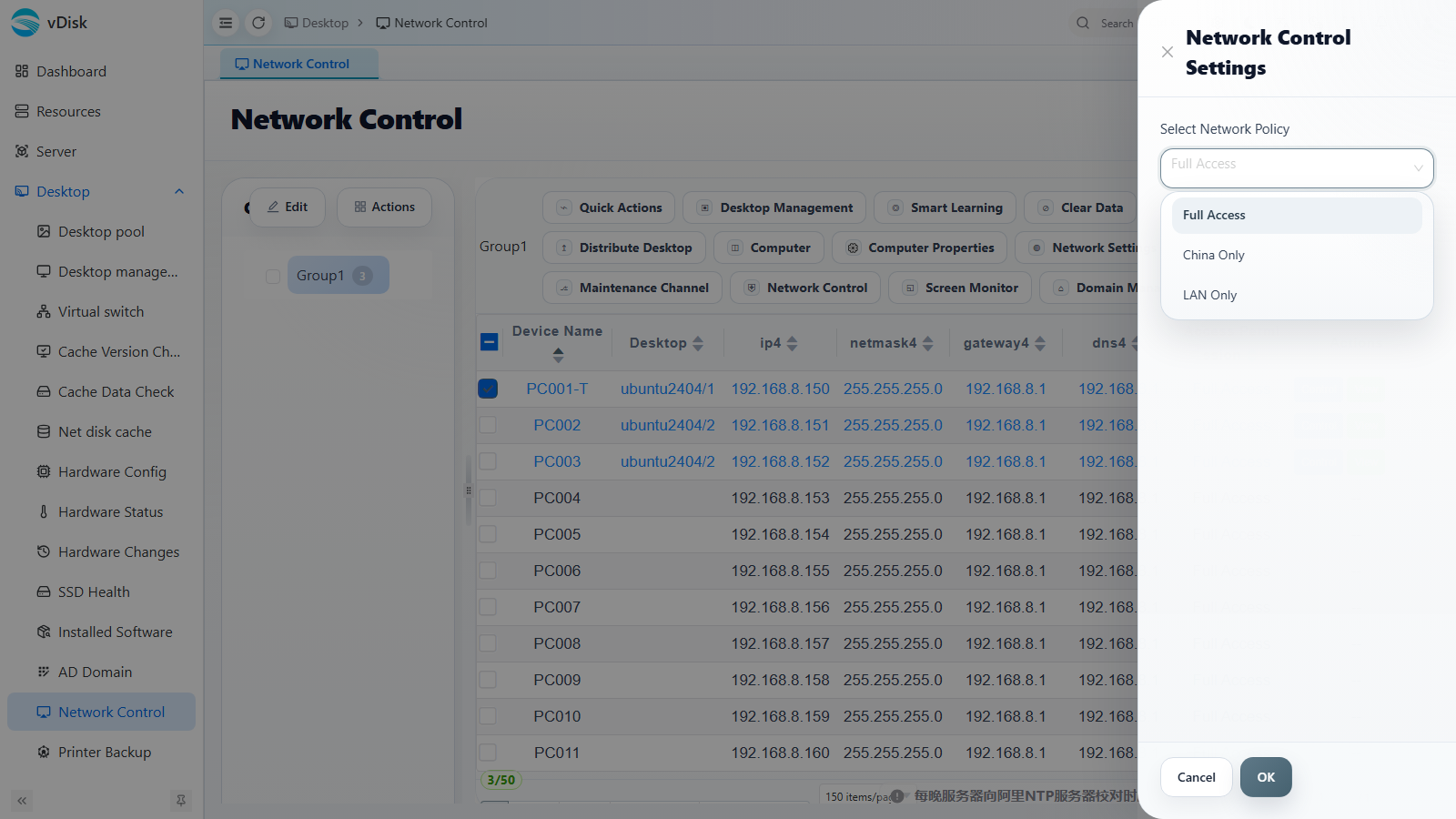
Full Access: The network is completely unrestricted and fully open; the terminal can access all networks.
Lan Only: Only broadcast packets and intranet segment addresses such as 172, 168, and 10 are allowed through; all other external requests are blocked.
China Only: Only Chinese IPs (including IPv4 and IPv6) are allowed through; all other overseas IPs are blocked.
After selecting the policy, click "OK" to save.
After the setting is complete, it takes effect after a restart.