How to Use Scheduled Tasks to Manage Cloud Desktop Computers on a Timer
Console -> Scheduled Tasks
In the left menu, go to Scheduled Tasks to see the list of created scheduled tasks. For each group of computers you can schedule operations such as timed restart, shutdown, sending messages, and switching the default desktop.
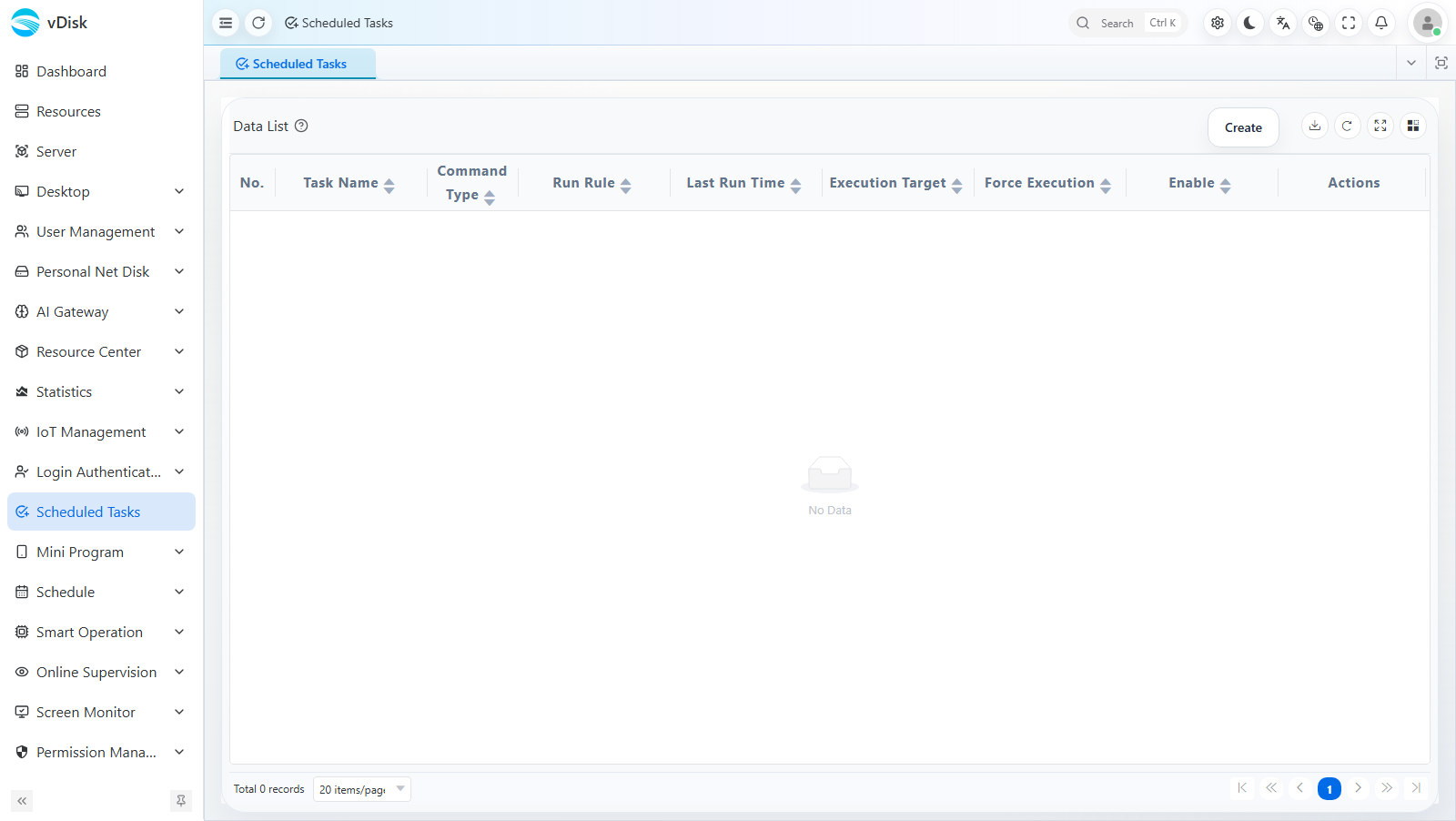
List field descriptions:
| Column | Description |
|---|---|
| Task Name | The name identifying the scheduled task |
| Command Type | The command the task executes, such as restart, shutdown, send message, etc. |
| Run Rule | The task's trigger rule (a cron rule converted from the execution cycle) |
| Last Run Time | The time of the last successful execution |
| Execution Target | The group the task acts on |
| Force Execution | Whether to ignore the current state and force execution |
| Enable | The enable / disable switch for the task |
| Actions | Entry points for editing, deleting, etc. |
Create a New Scheduled Task
Click Create at the top right and fill in the "New Scheduled Task" panel that pops up:
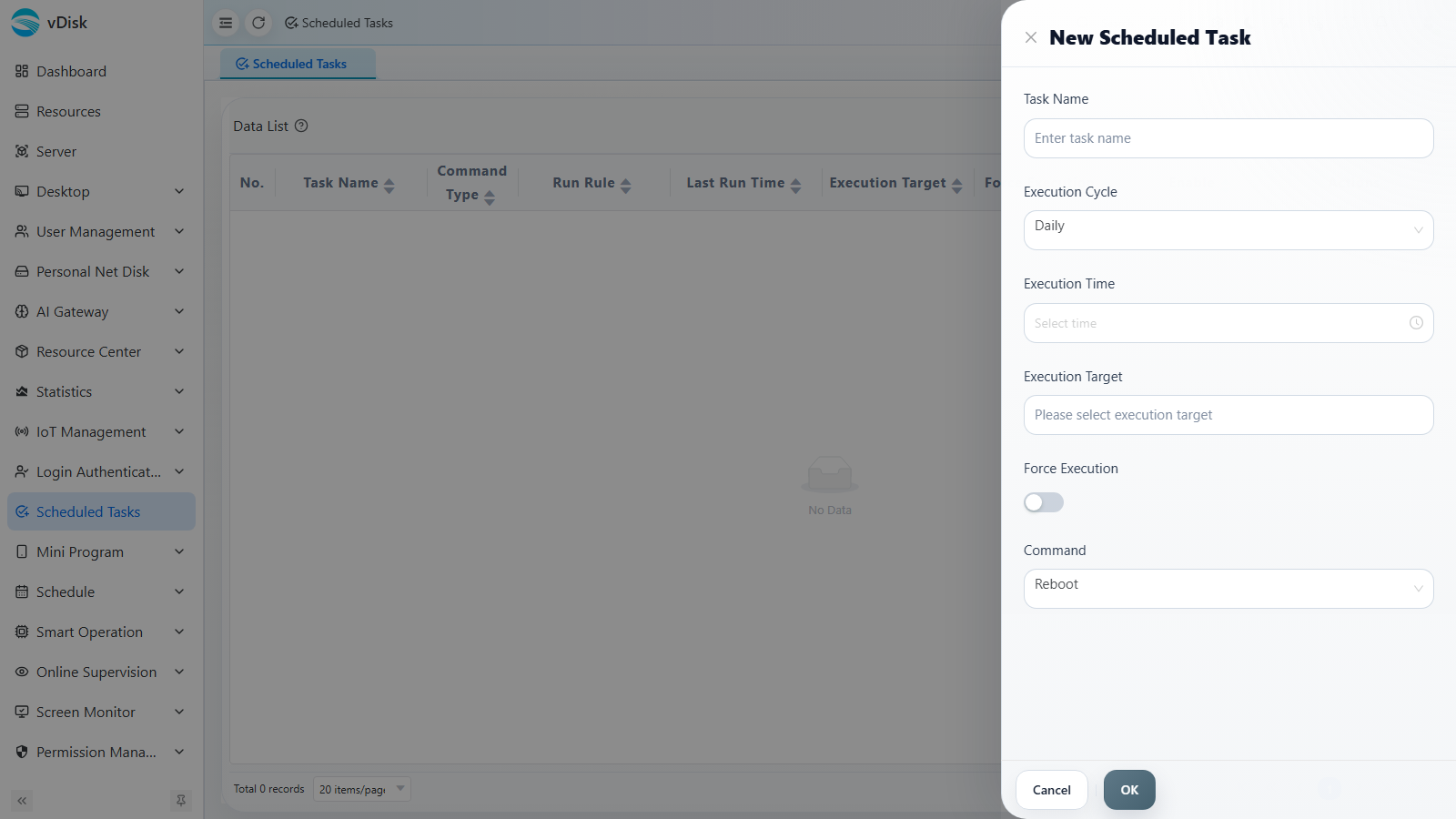
Task Name: The name identifying the scheduled task.
Execution Cycle: Can be set to daily / weekly, etc.; after saving, it is converted to a cron expression when editing, for more flexible configuration.
Execution Time: The specific time point at which the task triggers.
Execution Target: Batch-select the groups to manage.
Force Execution: When off, execution is skipped if the group contains a machine in Learning Mode, Update Mode, or Read-Write Mode, or if any computer is downloading; when on, these checks are skipped and the command is forced.
Command: Restart, shutdown, send message, etc.
Editing with cron rules for greater flexibility
After creation, editing the task automatically configures it using cron rules, which offers greater flexibility.
Cron Explanation and Usage
A cron expression consists of 5 (or 6) fields that, in order, represent: minute, hour, day, month, day-of-week (and an optional second). The meaning and value range of each field are as follows:
| Position | Field Name | Value Range | Allowed Special Characters | Description & Example |
|---|---|---|---|---|
| 1st | minute | 0–59 | * , - / | The minute within the hour to execute. Example: 30 means the 30th minute of every hour |
| 2nd | hour | 0–23 | * , - / | The hour of the day to execute. Example: 14 means 2:00 PM |
| 3rd | day of month | 1–31 | * , - / ? L W | The day of the month. Example: 1 for the 1st of every month; 1-5 for the 1st through 5th |
| 4th | month | 1–12 or JAN–DEC | * , - / | The month. Example: * for every month; 1,6 for January and June only |
| 5th | day of week | 0–7 (0 and 7 both represent Sunday) or SUN–SAT | * , - / ? L # | The day of the week. Example: 1-5 for Monday through Friday; 0 or 7 for Sunday |
Common special characters:
| Character | Meaning | Example |
|---|---|---|
* | Any / Every | * in the minute field means every minute |
, | List | 1,15,30 means 1, 15, and 30 |
- | Range | 1-5 means 1 through 5 |
/ | Step | */5 means every 5 units; 0/15 means every 15 units starting from 0 |
? | Unspecified (day/week only) | Usually only one of day and day-of-week is specified; the other uses ? |
Usage examples:
| Cron Expression | Meaning |
|---|---|
0 9 * * * | Execute every day at 9:00 |
0 18 * * 1-5 | Execute at 18:00 every Monday through Friday |
30 8 1 * * | Execute at 8:30 on the 1st of every month |
0 */2 * * * | Execute once every 2 hours on the hour |
0 0 * * 0 | Execute every Sunday at 0:00 |
After successful execution, the last execution time is recorded.
Before a shutdown task (e.g., 22:00), you can schedule a message-sending task at 21:55 to remind users that all computers are about to shut down — please save your personal files.