How to Clear Data
Go to Desktop -> Desktop management -> Clear Data
On the Desktop management page, after selecting the target group / terminal, click Clear Data in the toolbar. The dropdown menu provides four cleanup methods.
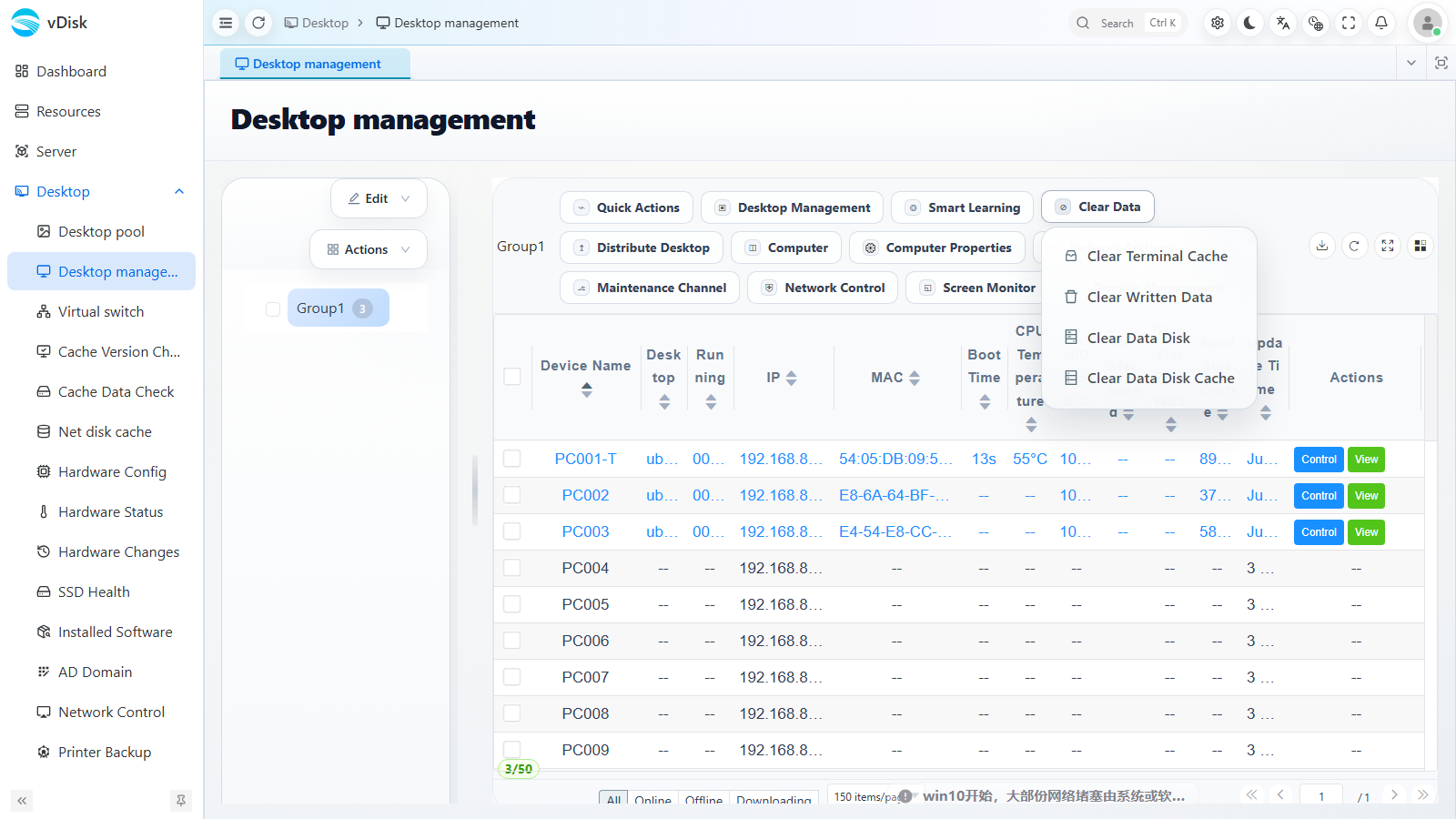
1) Clear Terminal Cache
Clears the local cache of the specified system on the terminal. After cleanup, that system needs to be re-downloaded or network-booted.
The system automatically reclaims unused data blocks.
2) Clear Written Data
Clears only the data produced by the current system disk while in Write Mode. Typically used in : after one exam session ends, clear the desktop data before the next exam session.
3) Clear Data Disk
Clears the data produced on the data disk. The data disk is often an additional disk attached to the system disk, with a drive letter such as D or E.
4) Clear Data Disk Cache
For network data disks, this reclaims only their local dynamic cache. It requires the terminal to be online and is commonly used to fix data disk cache abnormalities.