Adding a Surveillance Device
Console -> IoT Management -> Surveillance
Go to IoT Management -> Surveillance to view the list of managed surveillance cameras, with support for RTSP-based video stream playback and playback review.
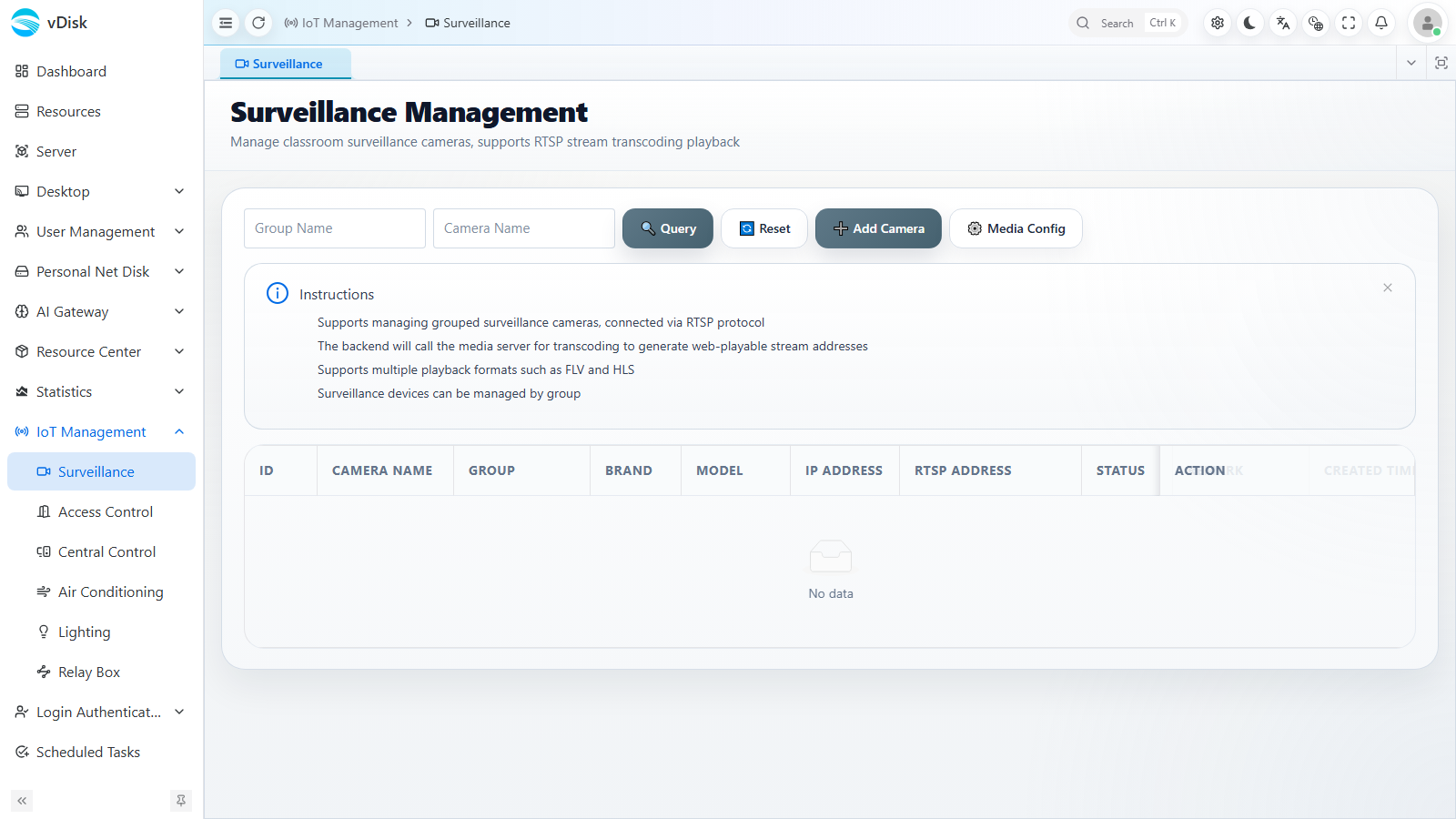
Add Camera
Click the "Add Camera" button at the top right of the list, and fill in the camera information in the dialog that pops up.
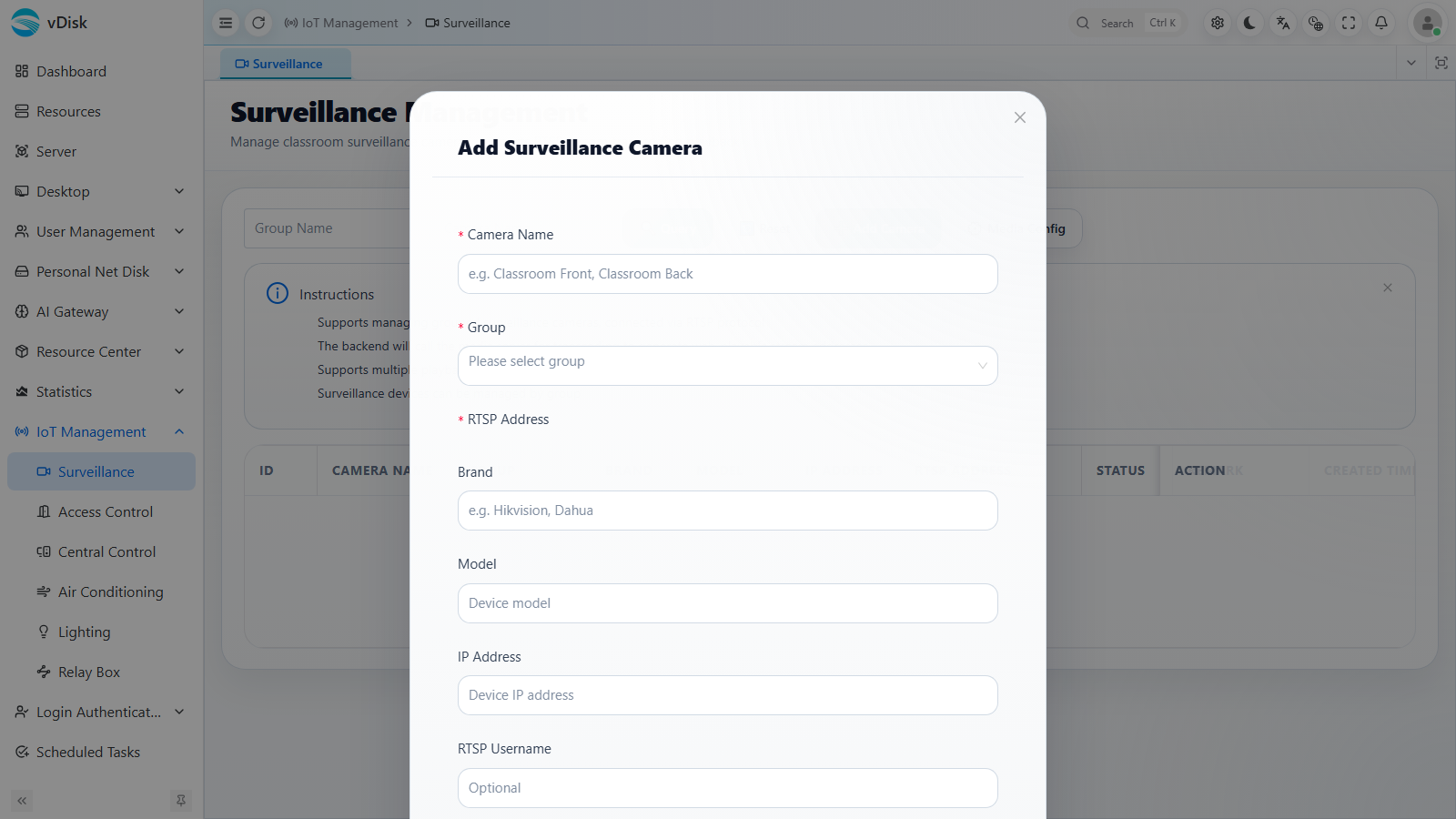
Camera Name: The name used to identify the camera
RTSP Address: Refer to the table below for common camera RTSP addresses. If the bitrate is too high, use the sub-stream channel; streams above 4K cause heavy server decoding load that affects desktop use, and also multiply the AI monitoring load.
Group: The group the camera belongs to, in the same group as the cloud desktops. Do not select the root node — select a leaf node. The Mini Program uses the root node for group filtering.
Brand / Model / IP Address / RTSP Username, etc. are optional
Common Surveillance Camera RTSP Addresses
| Brand/Type | RTSP Address Format Example | Description |
|---|---|---|
| Hikvision | rtsp://username:password@IP:554/Streaming/Channels/101 | Main stream 101, sub-stream 102; can be changed to 201, 202, etc. for other channels |
| Dahua | rtsp://username:password@IP:554/cam/realmonitor?channel=1&subtype=0 | subtype=0 main stream, subtype=1 sub-stream; channel is the channel number |
| Uniview | rtsp://username:password@IP:554/video1 | video1 is channel 1, video2 is channel 2 |
| Huawei | rtsp://username:password@IP:554/Streaming/Channels/101 | Similar to Hikvision; channel numbers 101, 102… |
| EZVIZ | rtsp://username:password@IP:554/h264/ch1/main/av_stream | ch1 is channel 1; sub-streams are usually sub/av_stream |
| Generic/ONVIF | rtsp://username:password@IP:554/stream1 or rtsp://IP:554/Streaming/Channels/101 | Different models require consulting the device manual or ONVIF discovery |
In the table, replace IP, username, and password with the actual device address and login credentials; 554 is the default RTSP port — if the device has changed the port, update it accordingly.
You can first test the address using the VLC media player tool. Use VLC media player's "Open Network Stream" function to test first, and after testing, enter the correct URL into the console. After that, click Test to check the result.
VLC media player download
Link: https://pan.baidu.com/s/1bnDhiyUN24HDZfYXgKin1w Access code: j7bb