How to Configure the Sidebar Information Panel
The sidebar is a high-visibility notification panel attached to the edge of the desktop; it does not interfere with normal software use. Only one enabled config can be active per group.
1. Go to Desktop → Sidebar
Go to Console → Desktop → Sidebar to view existing configs (group, title, whether enabled, creation time, etc.). Click New Config at the top right.
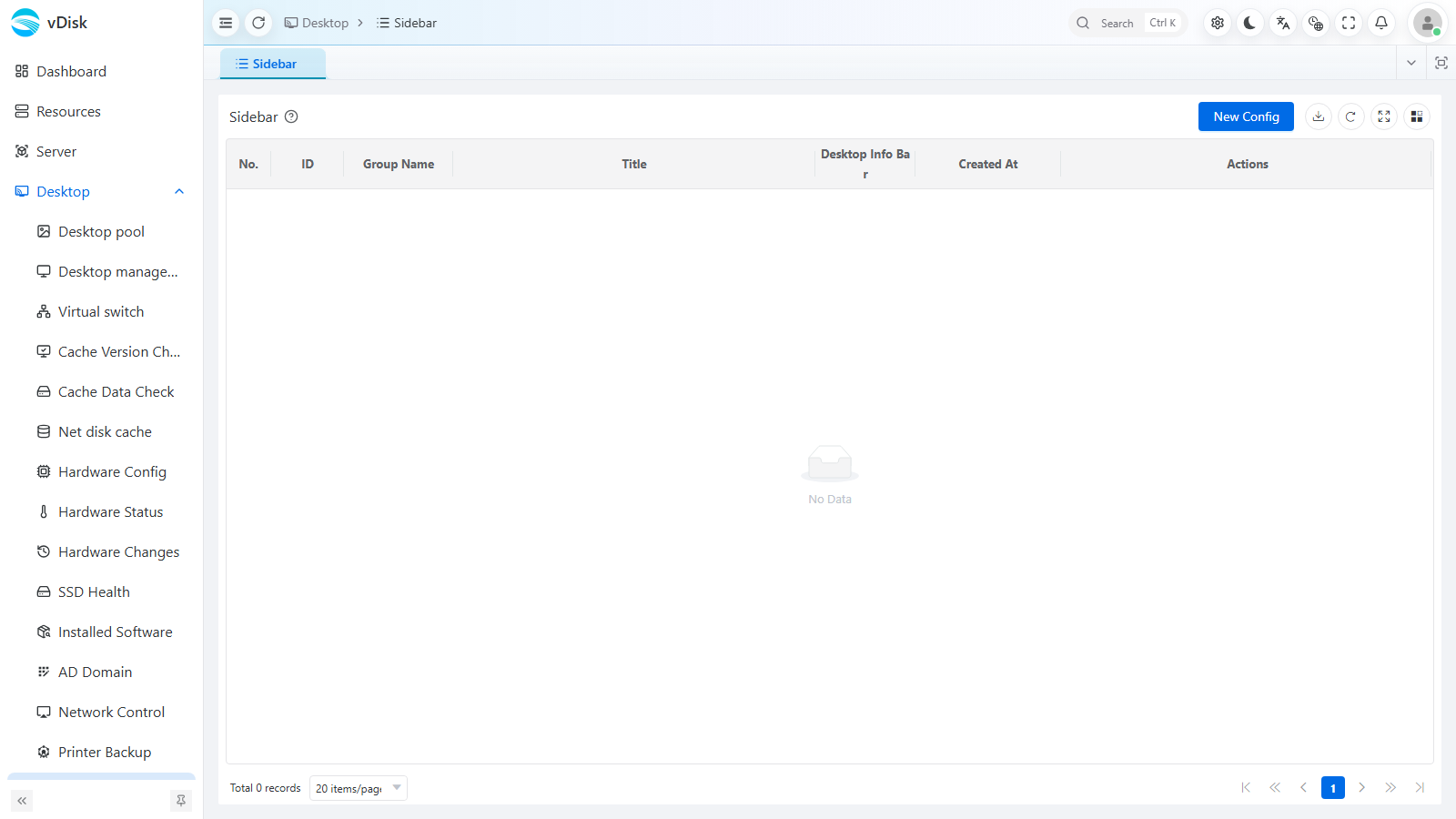
2. Create a sidebar config
Fill in the "New Sidebar Config" panel:
| Field | Description |
|---|---|
| Select Group | Which group this sidebar applies to (only one enabled config per group) |
| Title | The sidebar title, for identification |
| Enable Desktop Info Bar | When enabled, desktops in the group display this info bar |
| Content | Rich-text editor supporting bold / color / lists / inserted images / hyperlinks; you can add URLs to open directly from the sidebar |
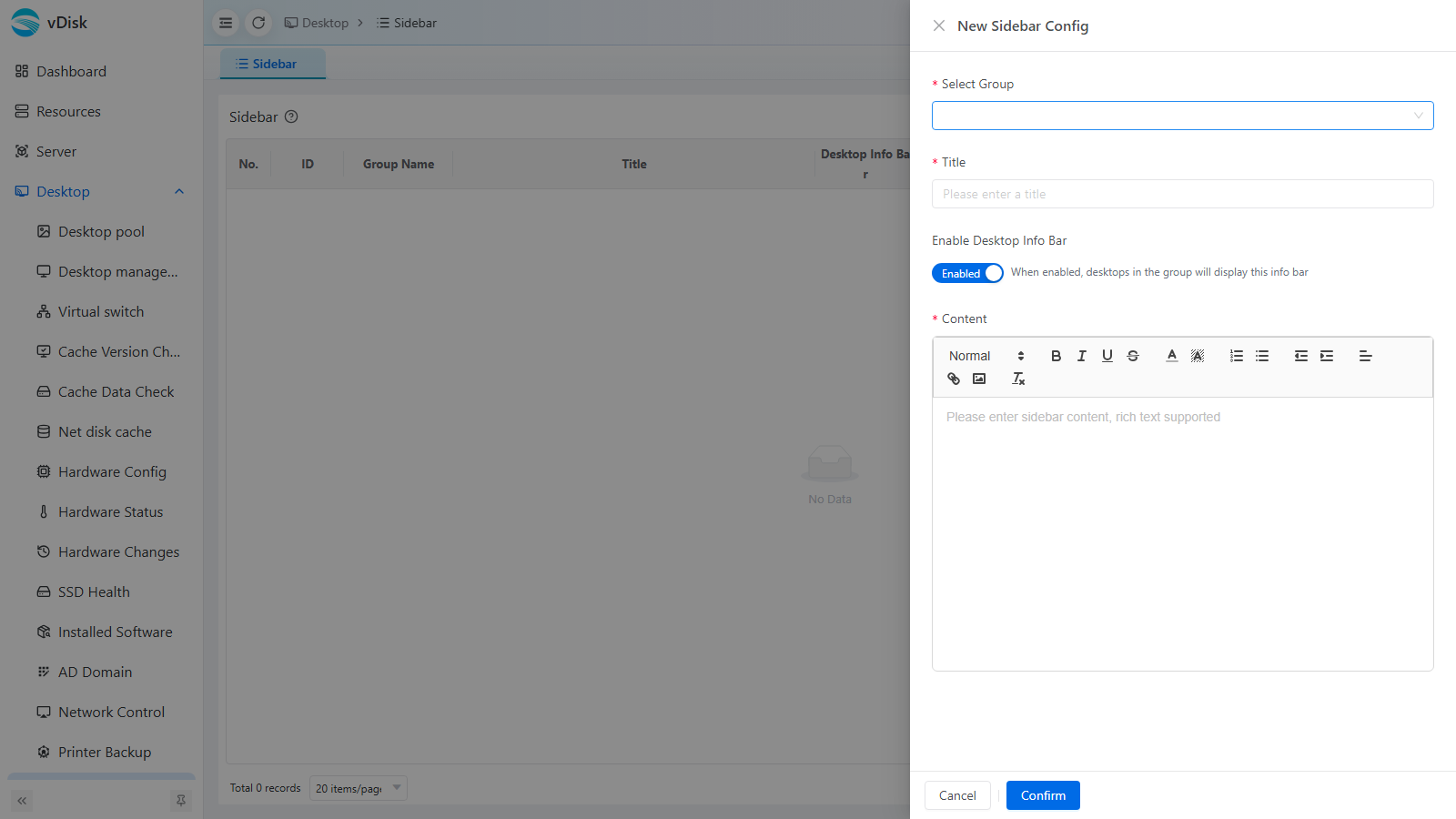
Click Confirm to save.
3. Apply
Turn on "Enable Desktop Info Bar" and save. After the client reboots, the sidebar appears at the edge of the desktop.
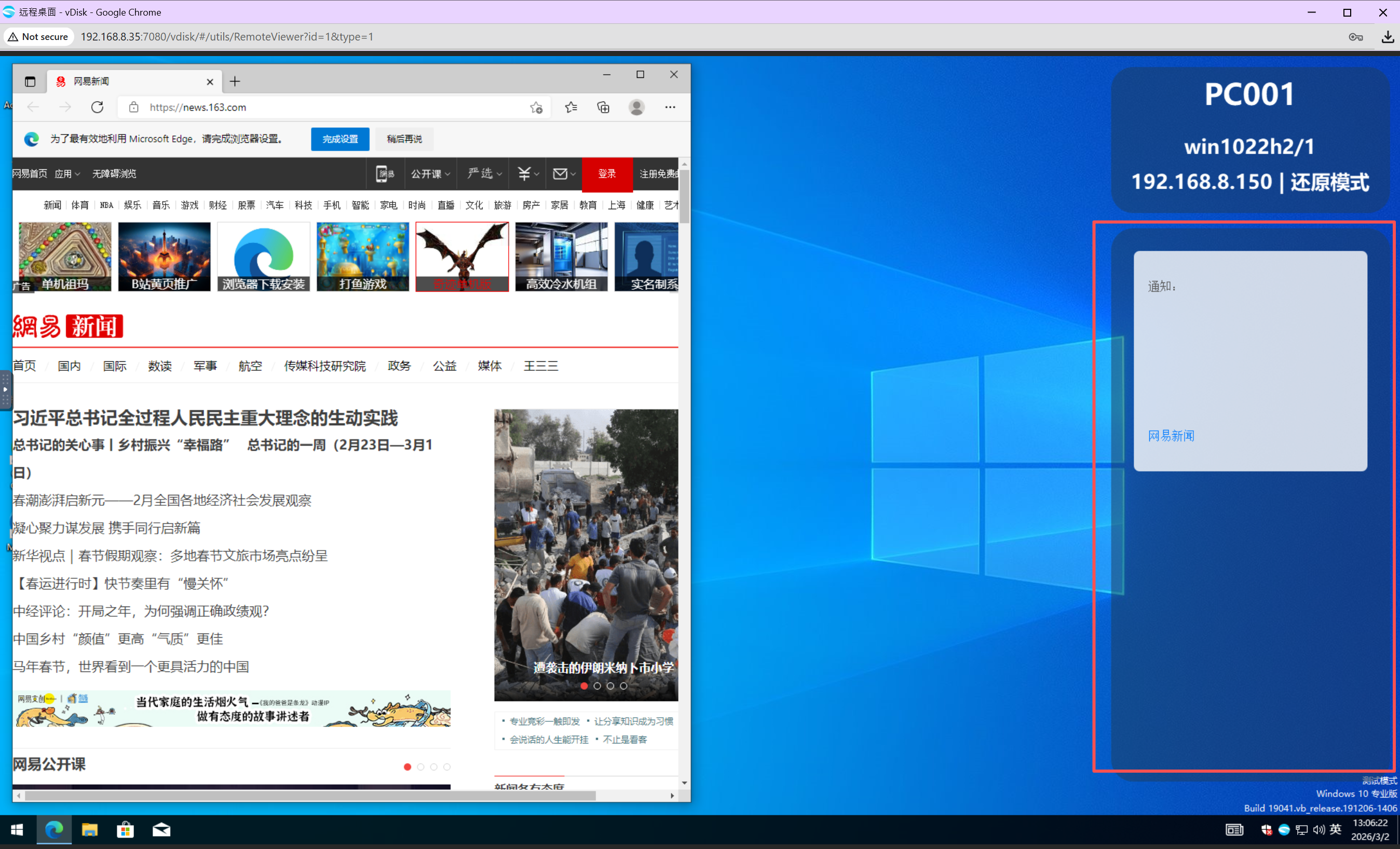
The sidebar information panel is attached to the desktop and does not block or interfere with software use.